Capture colour.
Ship it anywhere.
Grab a colour from the world, shape it into a palette, derive a harmony or a ramp from it, check it's accessible, and export it in the exact format your work needs. Accessibility checking and developer-format export are the centre of the app, not extras.
Capture, check, export.
Capture a colour, check it, and export it. The two jobs at the centre of the app are accessibility and getting a palette out in the format you actually build in. Version 1.1 added the generative middle - derive new colours from one you already have - and 1.2 took the export ladder to ten developer formats.
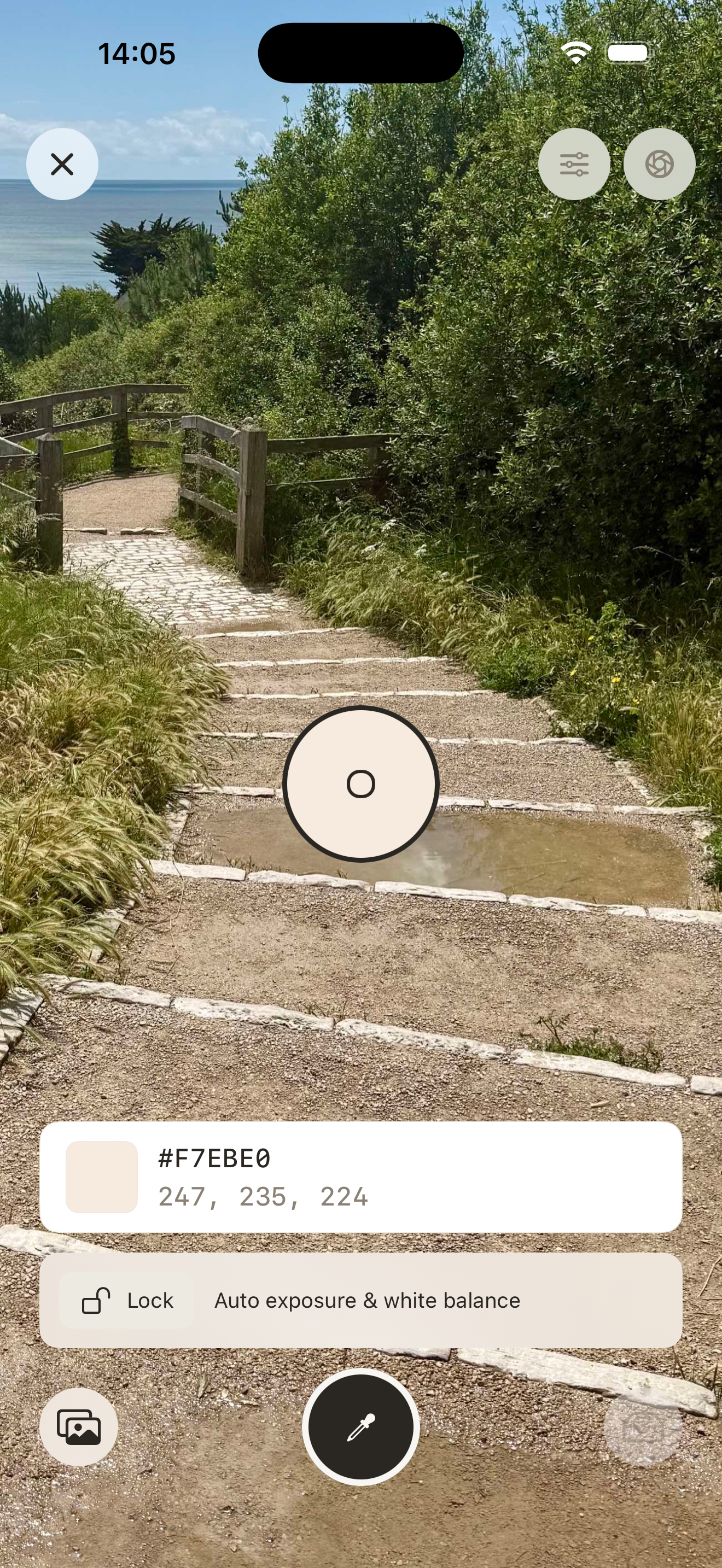
Point the camera and sample through a magnified loupe. Lock exposure and white balance so the colour you grab is accurate - not whatever auto-exposure decided. Or use the photo eyedropper and manual entry.
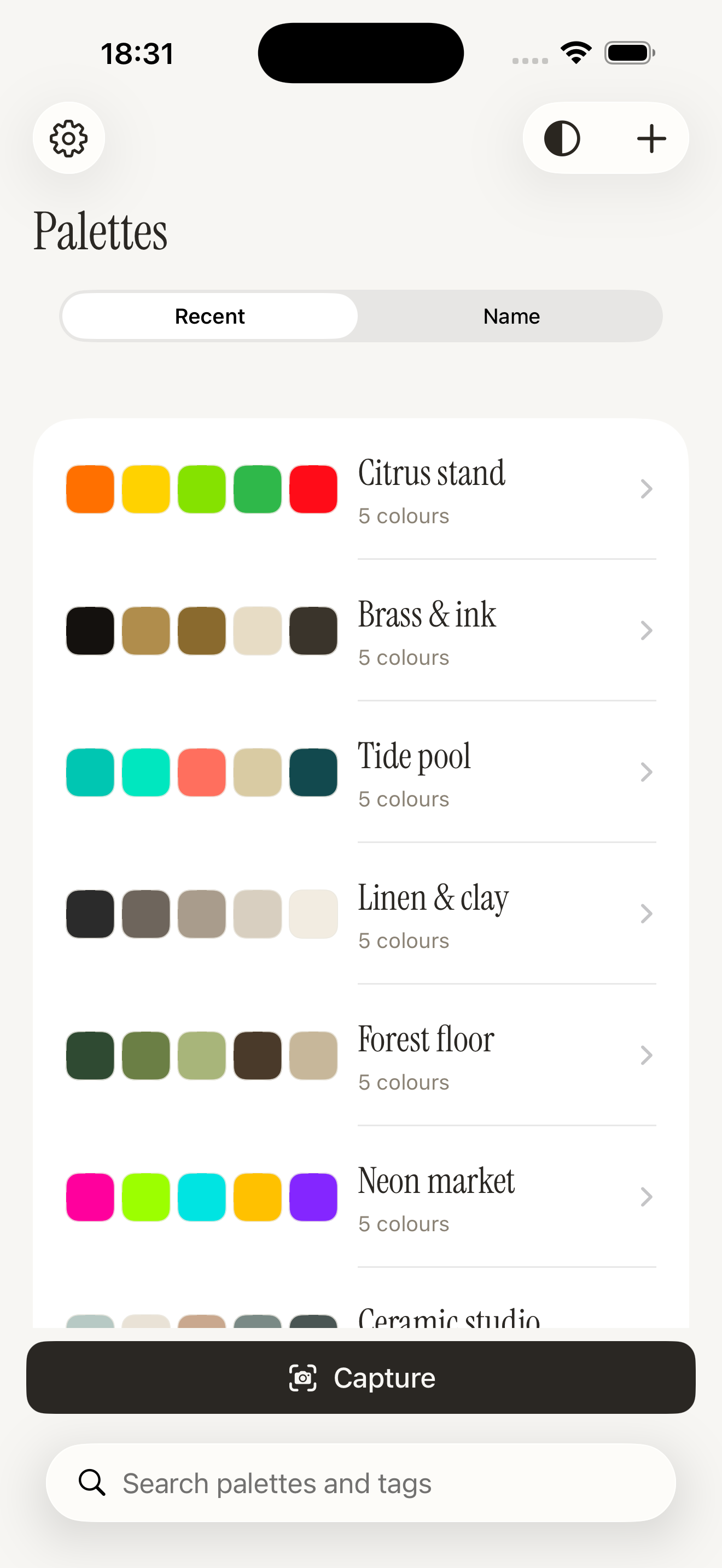
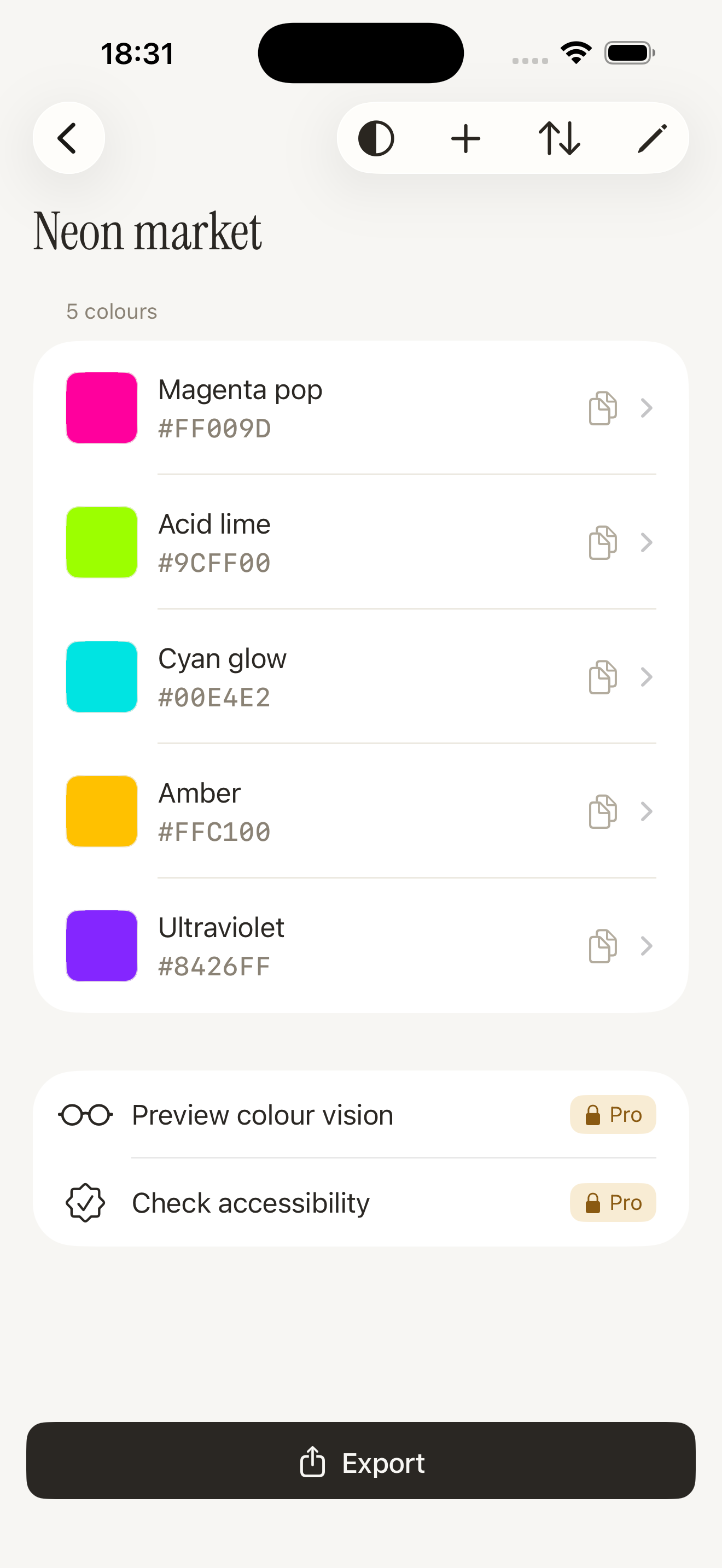
Group swatches into named palettes - reorder, rename, tag, add per-swatch notes. The palette is the unit of value, and your synced library becomes a personal asset you return to.
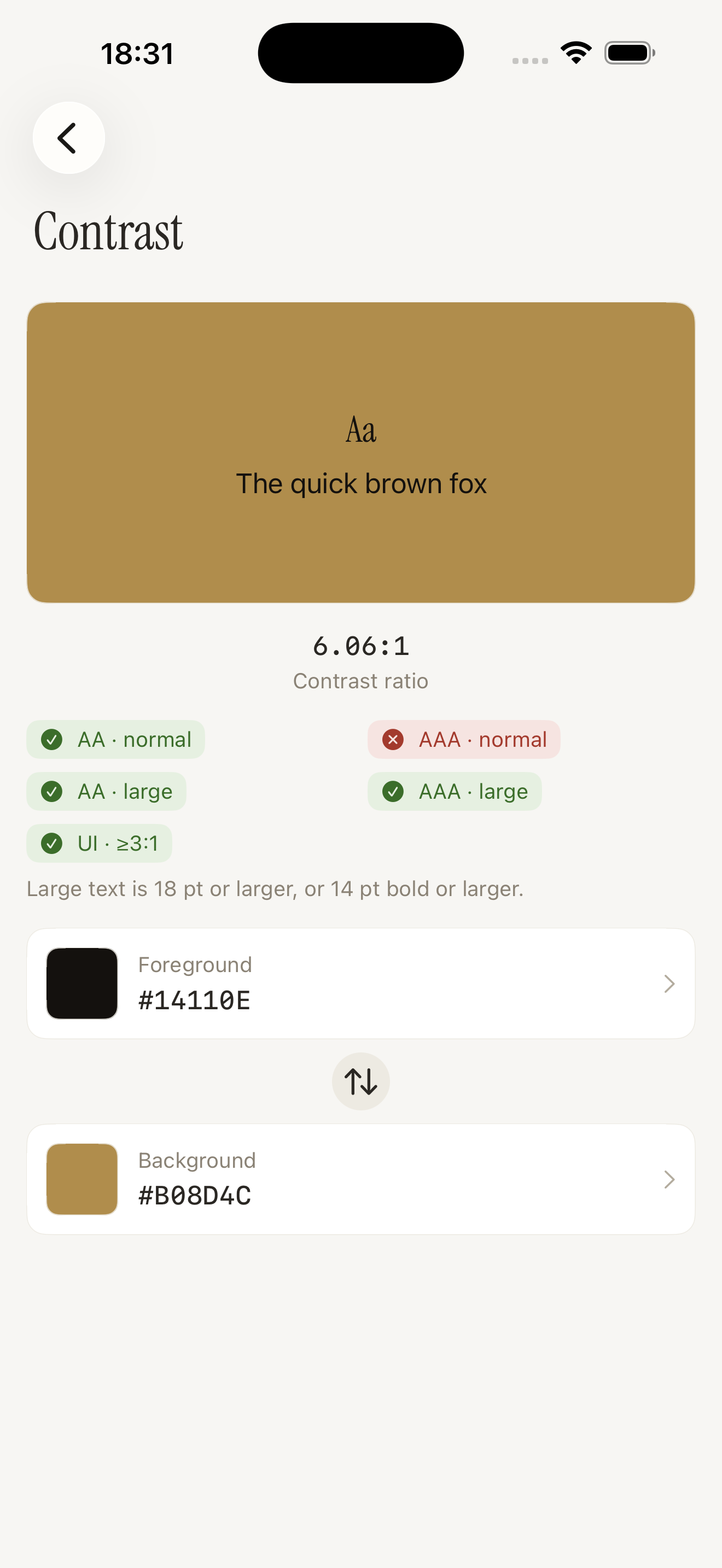
WCAG contrast between any two colours - AA and AAA for normal text, large text, and UI components - with a verdict in plain words. The checker is free, forever.
Simulate the common colour-vision-deficiency types across a single swatch or a whole palette, and run a full-palette accessibility audit before you ship.
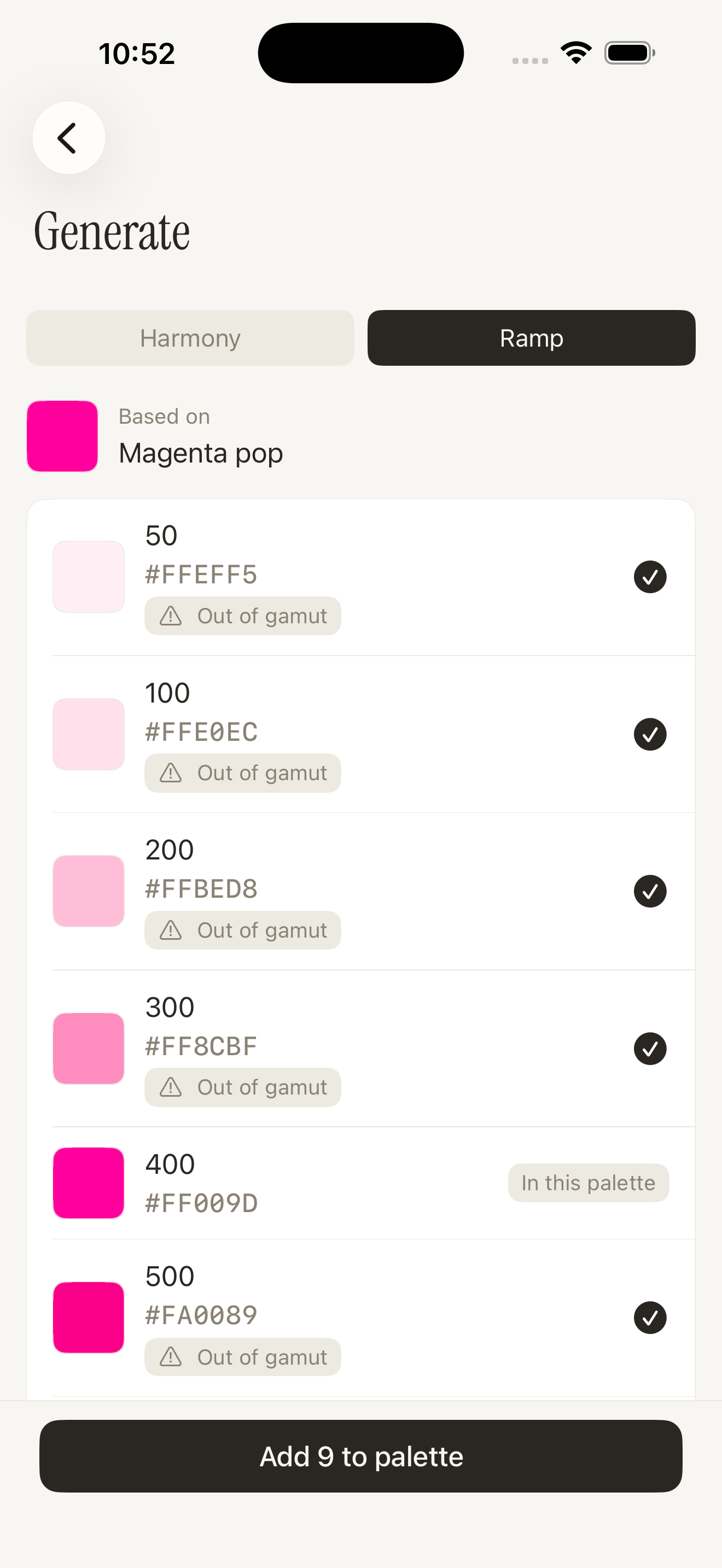
New in 1.1. Derive new colours from any swatch - complementary, analogous, triadic, split-complementary, tetradic, or a ten-step tonal ramp that preserves your original. Keep the ones you want and they land straight in that swatch's palette.
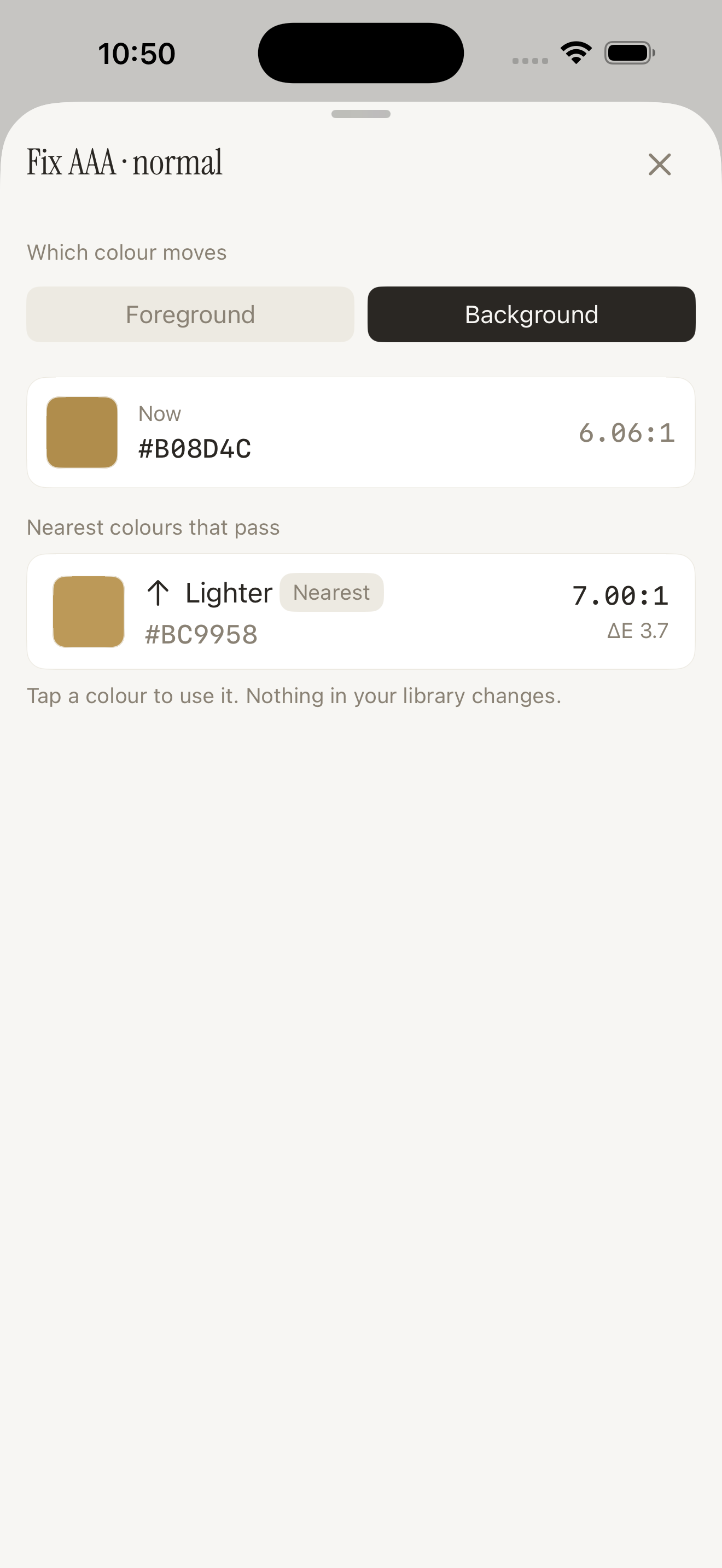
New in 1.1. Tap a failing verdict and Gamut shows the nearest colour that passes it, solved in OKLCh so the fix is the smallest perceptual move available. Choose which colour shifts, see the ratio it reaches, and apply it in a tap.
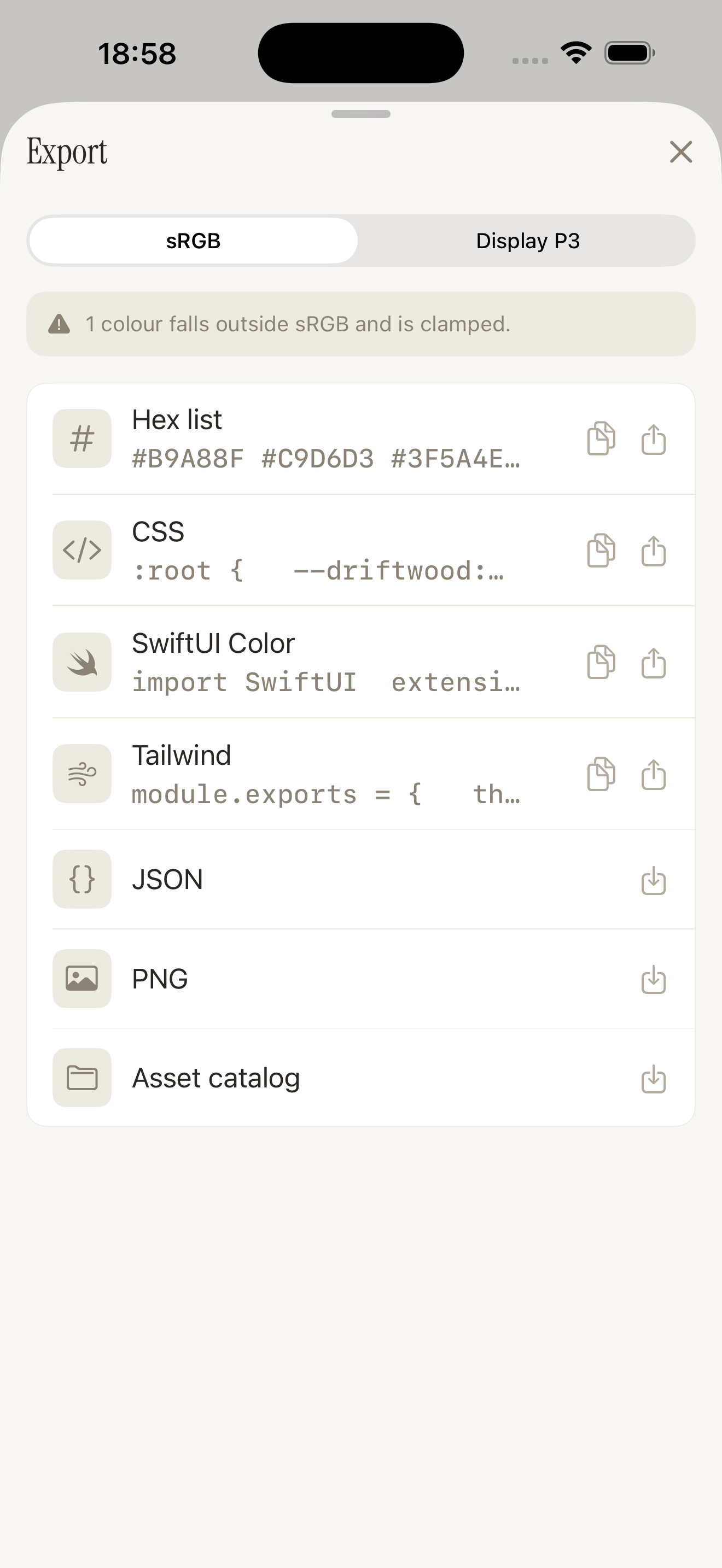
The colour you found, in the format your code needs. Copy hex and RGB per swatch, or export a whole palette as SwiftUI Color, CSS variables, oklch(), Tailwind config, JSON, an Xcode asset catalog, a swatch-sheet PNG, Adobe .ase swatches, a GIMP .gpl palette, or W3C DTCG design tokens - ten developer formats, in sRGB or Display P3.
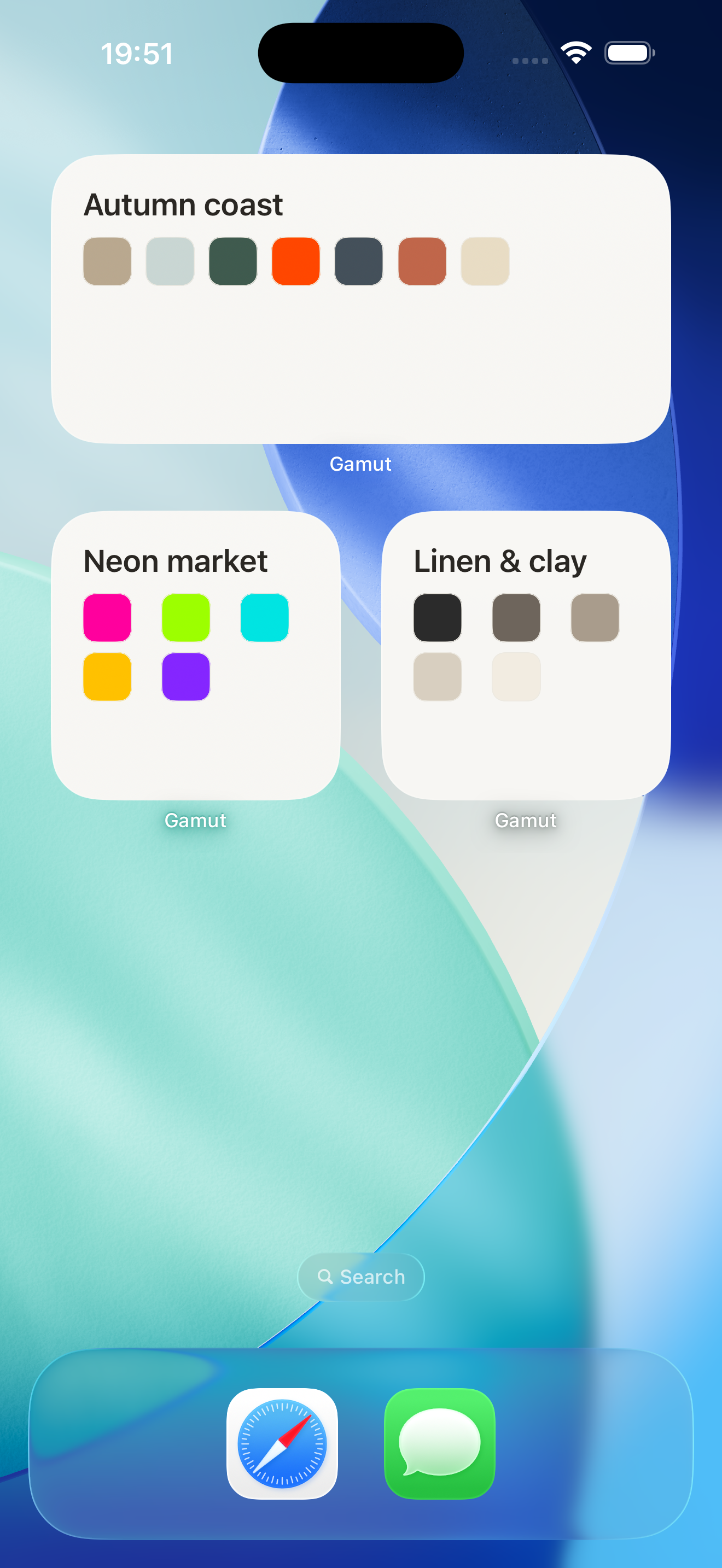
Keep a palette on your home screen, rendered in true Display P3. Captured colour survives every hop - stored with its colour space, out-of-gamut surfaced, never silently clamped.
See it in action.
The palette library, a palette in detail, live capture, the contrast checker, its 1.1 correction sheet, the generative screen, the export ladder, and a home-screen widget - all neutral by design, so the only colour that competes for the eye is the colour you captured.
Free to use. Pro when you're shipping.
Capture is never gated, and the contrast checker is free forever. Pro adds scale, the full export set, the deeper accessibility tools, sync and the alternate app icon - nothing that was free has ever moved behind the purchase.
Capture, conversion, and on-screen rendering are accurate, and the interface is deliberately neutral so it never distorts how a colour is perceived.
Wide-gamut fidelity, end to end. A colour captured in Display P3 keeps its colour space through display and export - never silently narrowed to sRGB.
Out-of-gamut is surfaced, never silently clamped. When a colour falls outside sRGB on export, Gamut tells you.
Verdicts never rely on colour alone, and Gamut's own interface exceeds the contrast standard it checks.
Pro is available as a one-time lifetime unlock as well as a subscription - pay once and it is yours.
The free tier is a real tool, not a demo. Pro is for when you have more than a few palettes, want a palette dropped straight into your codebase, or want Gamut on every device.
- Unlimited capture - camera, photo & manual
- Up to 3 palettes
- Copy hex & RGB per swatch
- Palette hex-list export
- Full WCAG contrast checker
- Light & dark appearances
- Unlimited palettes
- The full export ladder - ten developer formats, including SwiftUI, CSS, OKLCH, Tailwind,
.ase,.gpland design tokens - iCloud sync across your devices
- Colour-vision simulation & palette audit
- Harmonies & tonal ramps
- Contrast correction - the suggested fix
- Home-screen palette widget
- An alternate app icon
- $19.99/yr · $39.99 lifetime