Pend
Time, at a glance. Count down to the dates ahead, and up from the ones behind - with widgets, Live Activities, share cards and iCloud sync. Pend answers from Siri, Spotlight, Control Centre and StandBy without being opened.
Everything you need to track a date.
Countdowns and count-ups, collections to organise them, eight designed card styles, and deep iOS integration - widgets, Live Activities, Siri, Spotlight, Control Centre, StandBy, share cards and iCloud sync. Nothing unnecessary.
Time remaining until a future event, or time elapsed since a past milestone. Birthdays and trips ahead; sobriety dates and anniversaries behind.
Birthdays, anniversaries, annual deadlines. Weekly, monthly, or yearly - Pend auto-advances to the next occurrence and logs the history.
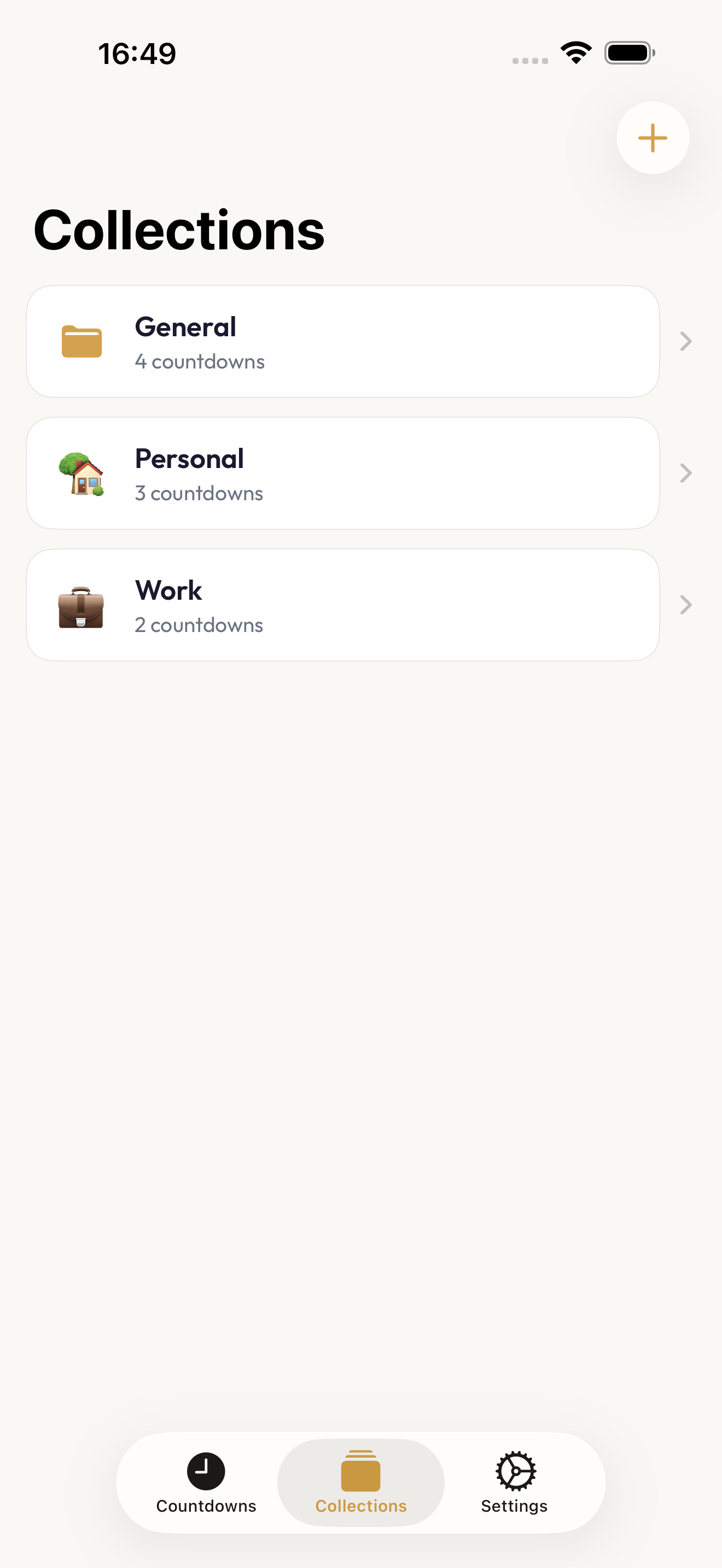
Group countdowns however you think - work, family, travel, fitness. Keep your event clusters separate without losing them in one long list.
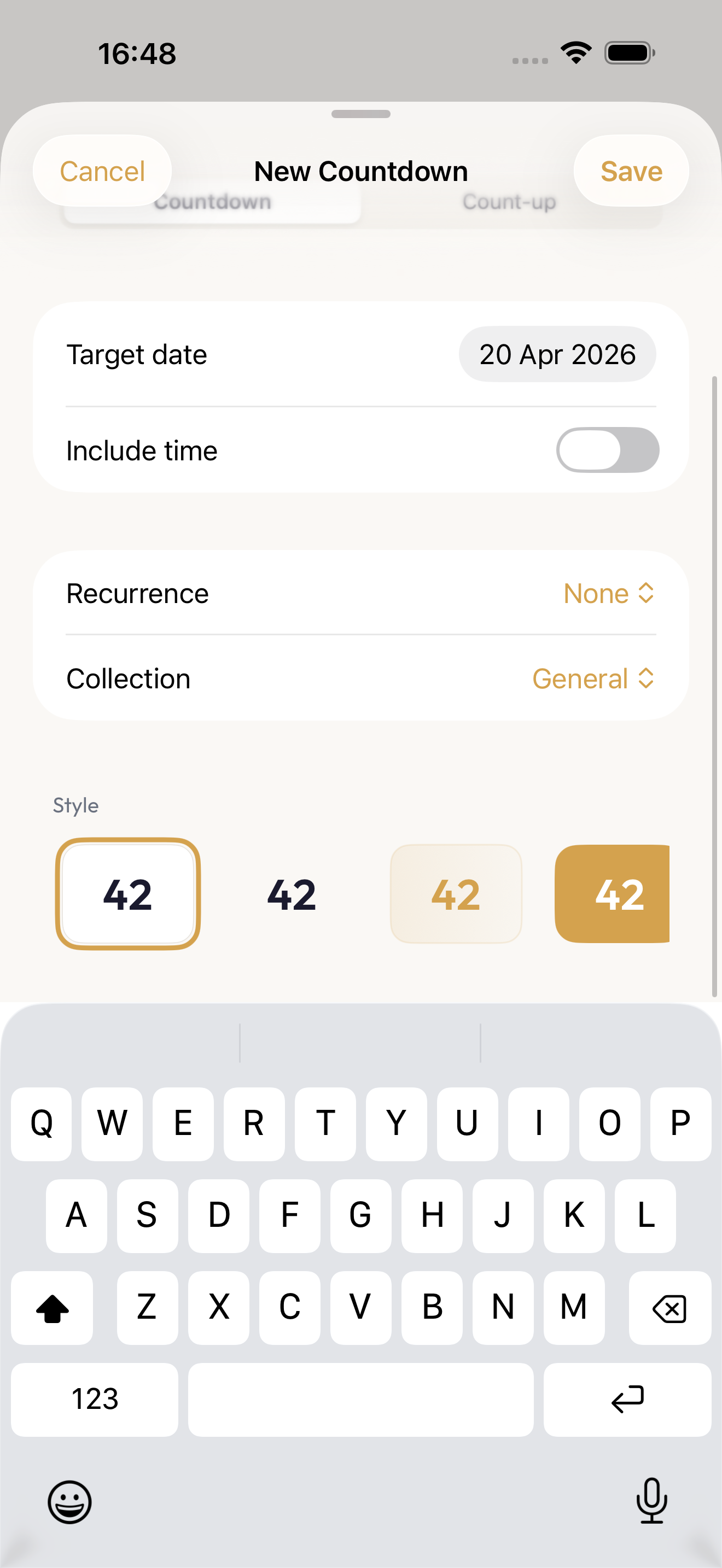
Classic, Minimal, Gradient, Bold, Outline, Editorial, Midnight, Ember. Eight designed presets rather than a customisation engine - pick one and it is done.
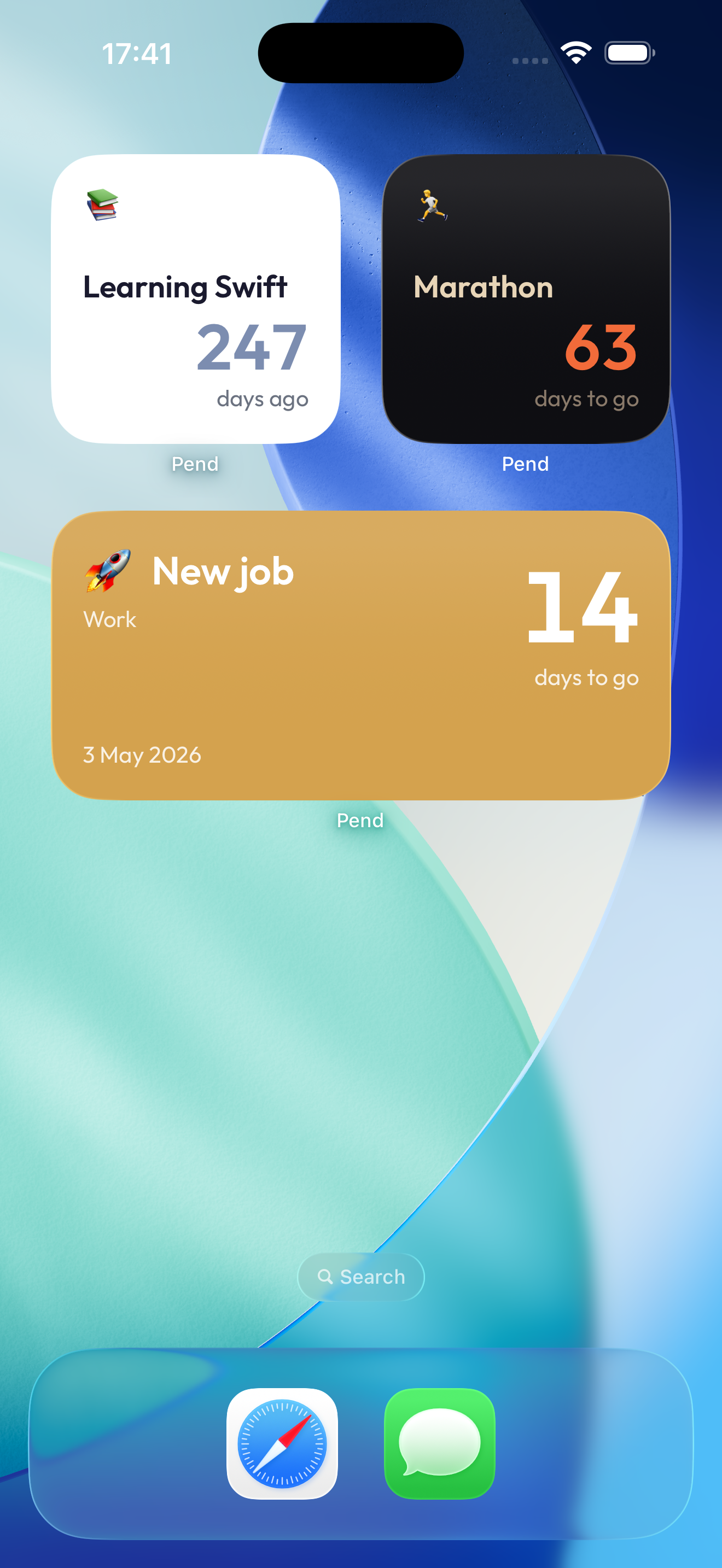
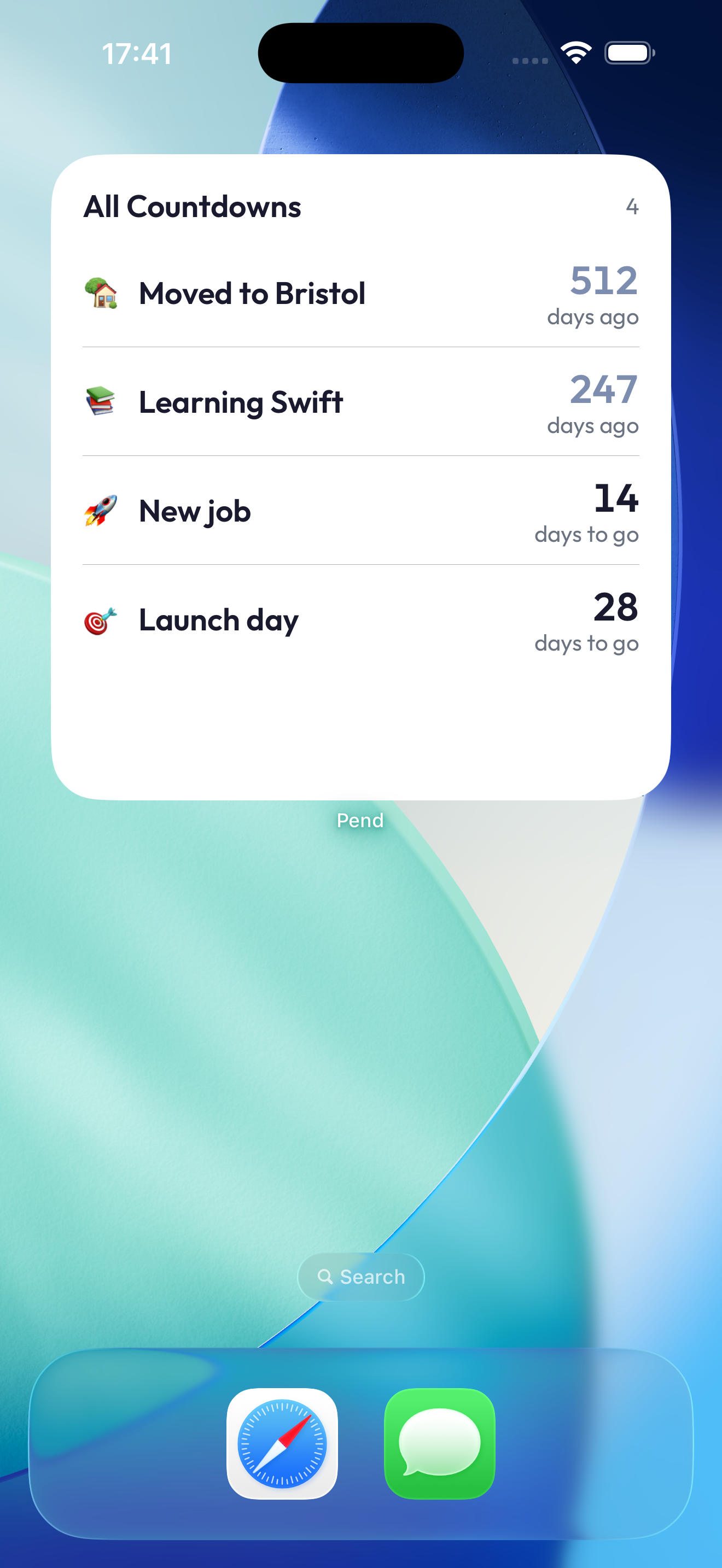
Home Screen widgets in small, medium, and large. Lock Screen widgets - circular, rectangular, inline. Every countdown, at a glance.
In the final 24 hours, bring the countdown to the Dynamic Island and Lock Screen. Hours, minutes, and seconds tick live - no need to open the app.
Ask how long until a countdown and hear the answer without opening anything. Create one by voice, or open one by name. All three are Shortcuts actions, and the answer comes back as a sentence an automation can pass on.
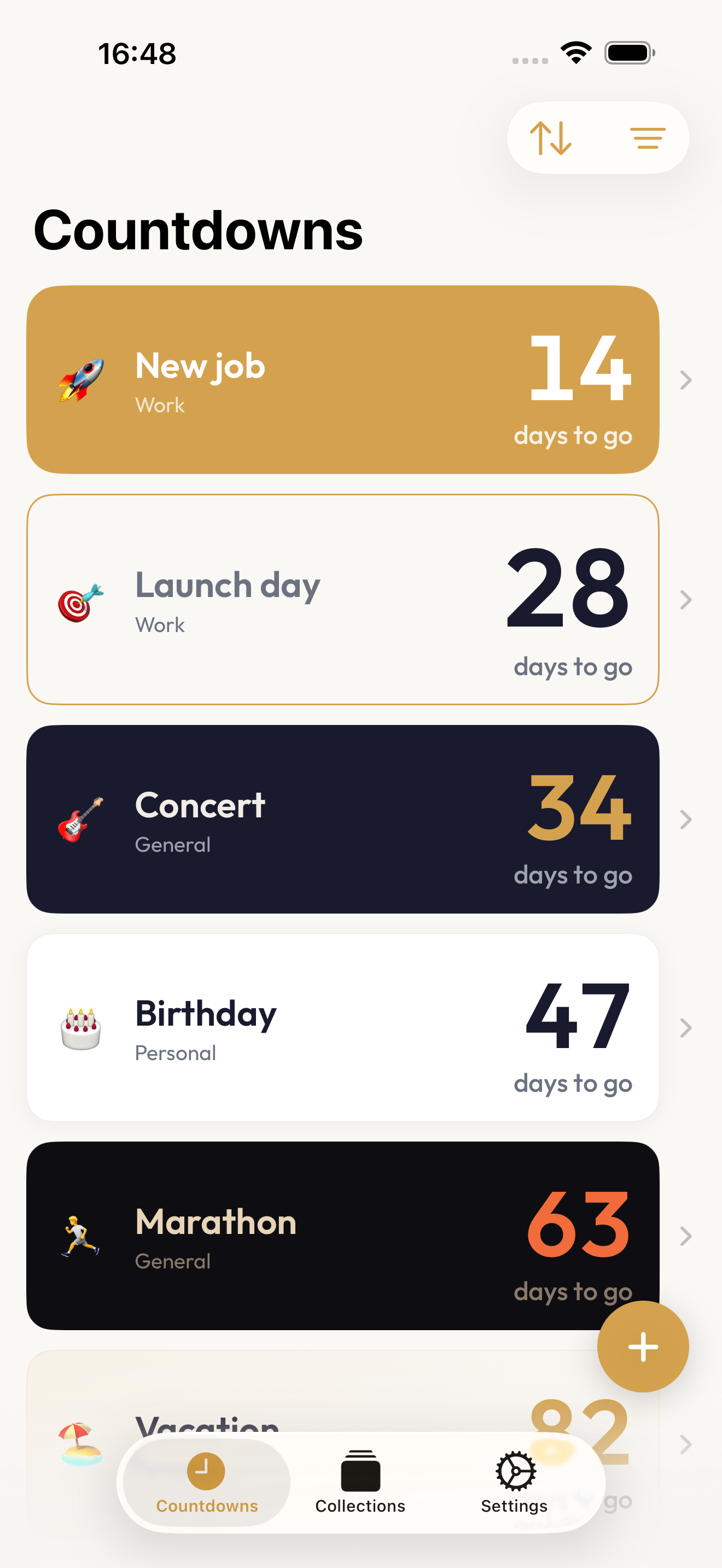
Countdowns are indexed as search results, and the result carries the number rather than only the title - "Marathon is in 63 days". Tap one to open it.
Two tiles: one shows and opens the countdown landing soonest, the other adds a new one. Both map to the Action Button. Touch and hold the app icon for the three landing soonest.
Charging on its side, the small widget drops its card background and colour and nearly doubles the number. The phone is across the room on a desk or a bedside table either way.
Turn any countdown into a share card image - no watermark, no "Made with Pend". Send it via Messages, Mail, or social.
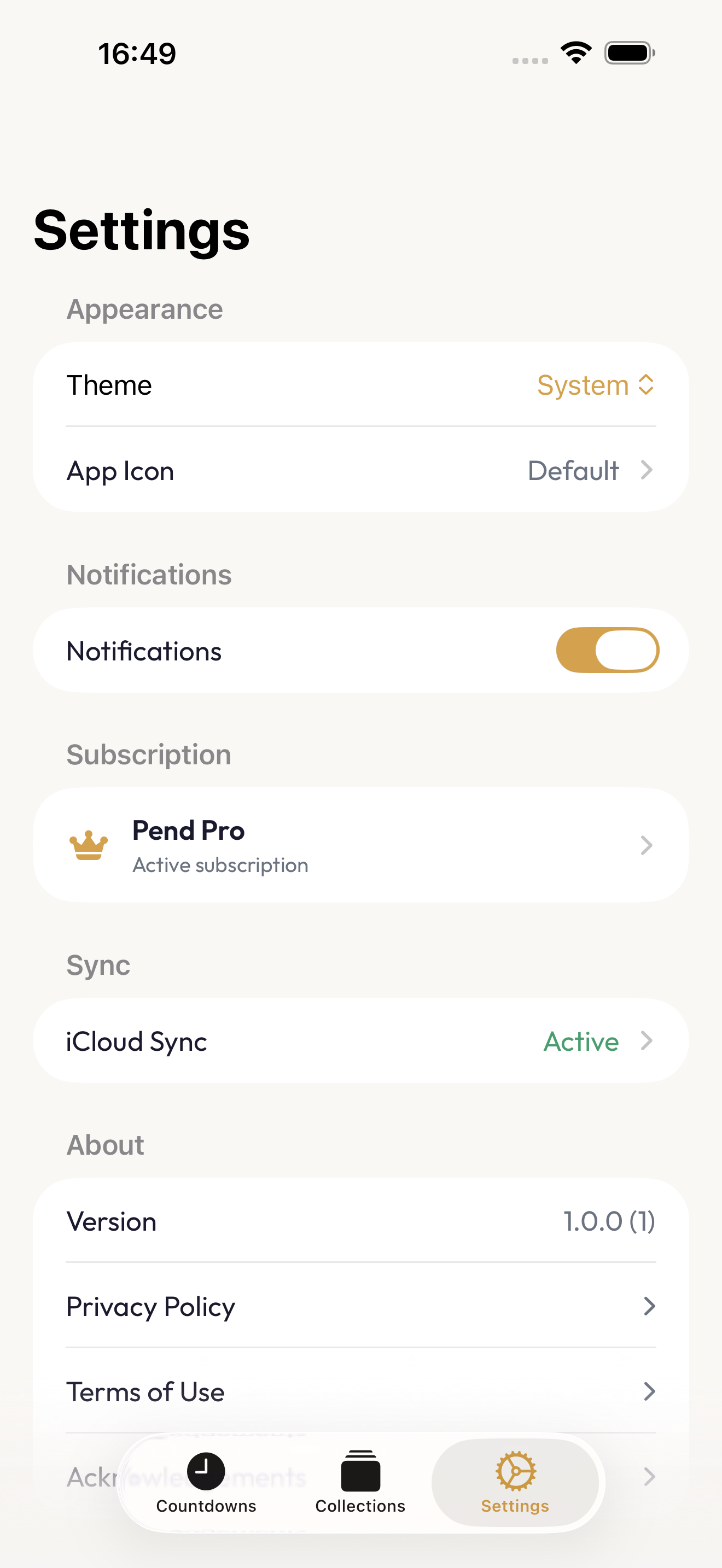
Your countdowns live in your own iCloud - synced across iPhone and iPad, invisible to us. No sign-in, no account. Your Apple ID handles identity.
No ads, no ad SDKs, no cross-app tracking. Analytics are anonymous and EU-hosted - your real identity never leaves the device.
See it in action.
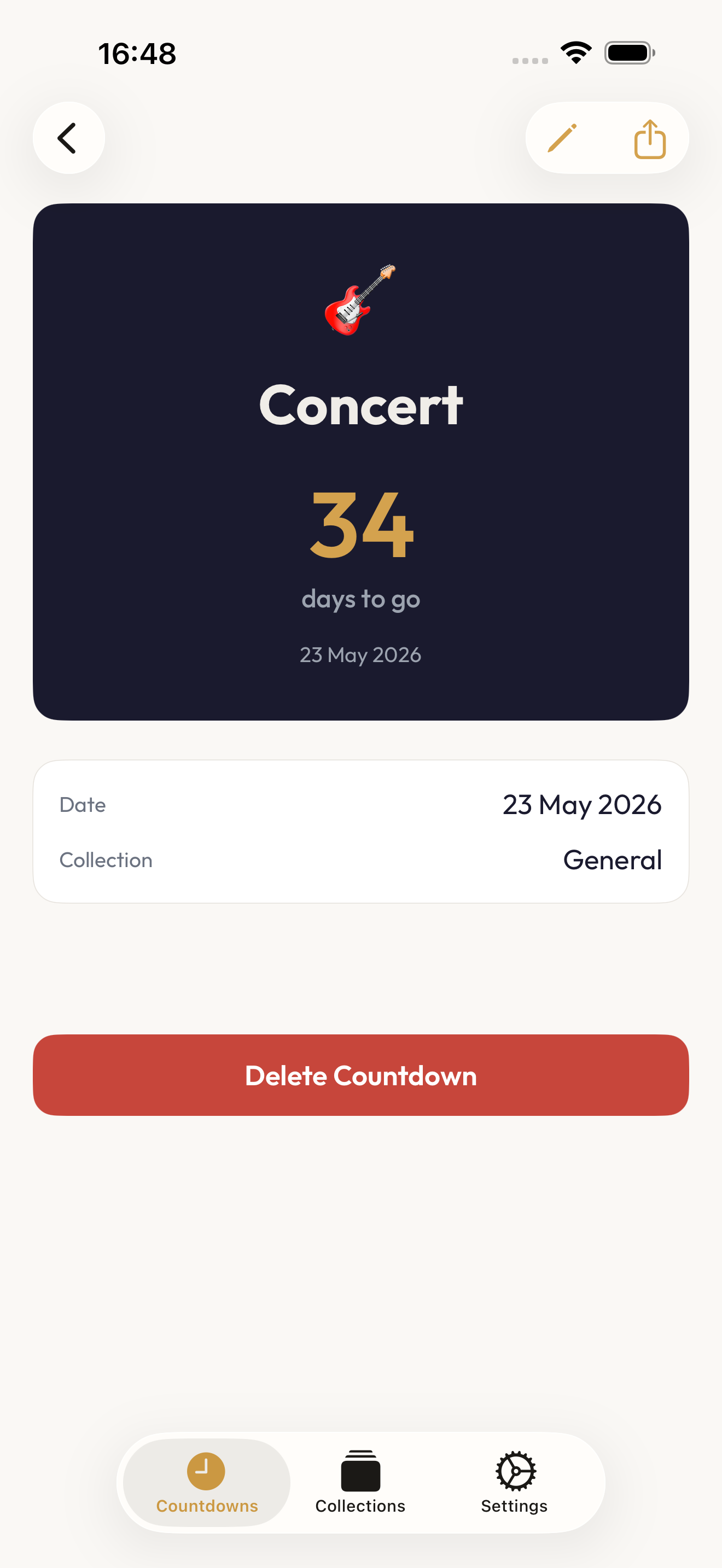
Real screens from Pend - the home list, a countdown detail, the card-style picker, collections, and Home Screen widgets.
Free to start. Pro when a few dates isn't enough.
Five countdowns, two card styles, one collection, one widget - enough to track what matters. Pro opens the whole app: unlimited countdowns, count-ups, all eight styles, sync, share cards, Live Activities, and alternate app icons.
Free gives you the essentials. Pend Pro is a single one-time purchase - no subscription, no renewal, nothing to cancel.
- 5 countdowns
- 1 collection
- 1 widget
- 2 card styles (Classic, Minimal)
- Recurring events
- Notifications
- Unlimited countdowns & count-ups
- Unlimited collections
- Unlimited widgets
- All 8 card styles
- Live Activities
- Shareable cards
- Private iCloud sync
- Alternate app icons