The hours that fit what you want to do.
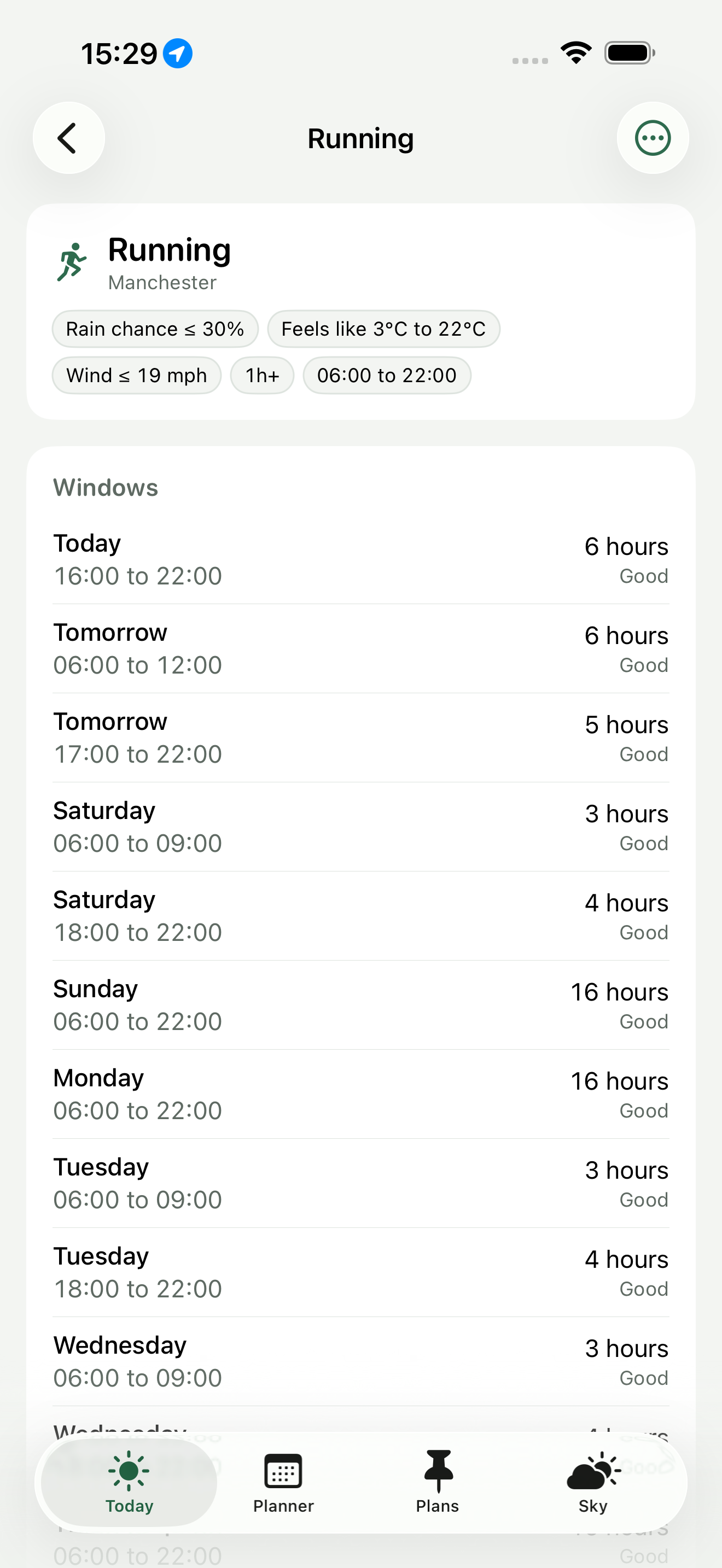
You describe an activity as the weather it needs - rain under 30 per cent, feels-like between 3 and 22 degrees, wind under 19 mph, at least two hours, daylight, and dry for an hour afterwards. Clearing checks all ten days of hourly forecast against those rules and shows you the runs of hours that qualify. Tap any hour that failed and it names the rule and by how much.
iOS 18 or later · iPhone and Apple Watch
Four tabs: Today, Planner, Plans and Sky.
Today is your activities and the next window for each. Everything else in the app answers a different question about the same ten days of forecast.
Rain chance, rain amount, snowfall, temperature, feels-like, wind, gusts, UV, cloud, humidity and visibility, each with a limit you set. Add the hours and days you are free, a minimum length, whether it has to be daylight, and how long it must stay dry afterwards.
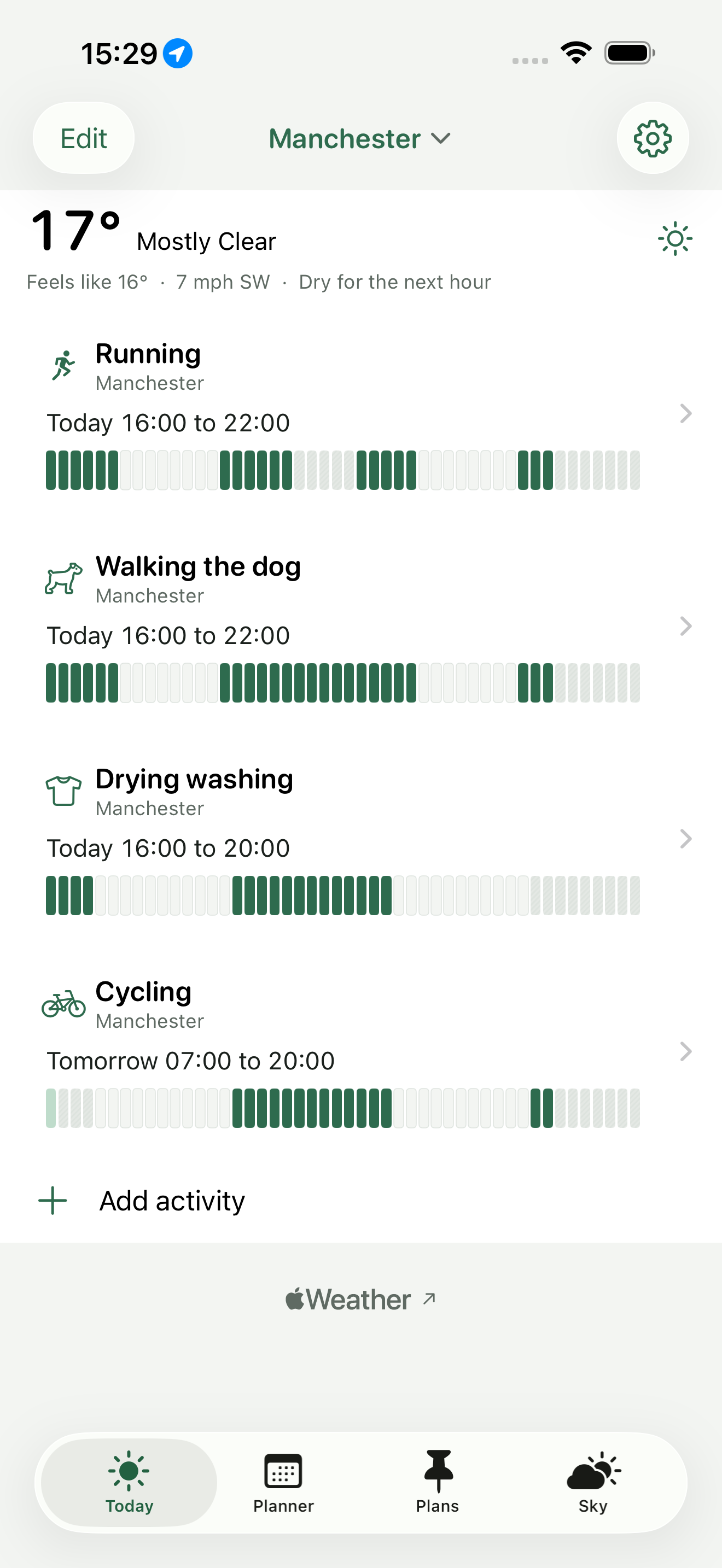
One cell an hour. Filled where it fits, hatched where a rule fails, faint where it is outside the times you chose. The pattern carries the meaning rather than the colour, so it reads in monochrome.
Tap it and Clearing names the rule and the margin - "rain chance 55%, over your 30%". Hours that nearly fit are shown as near-misses instead of being hidden, because a window that missed by two per cent is worth knowing about.
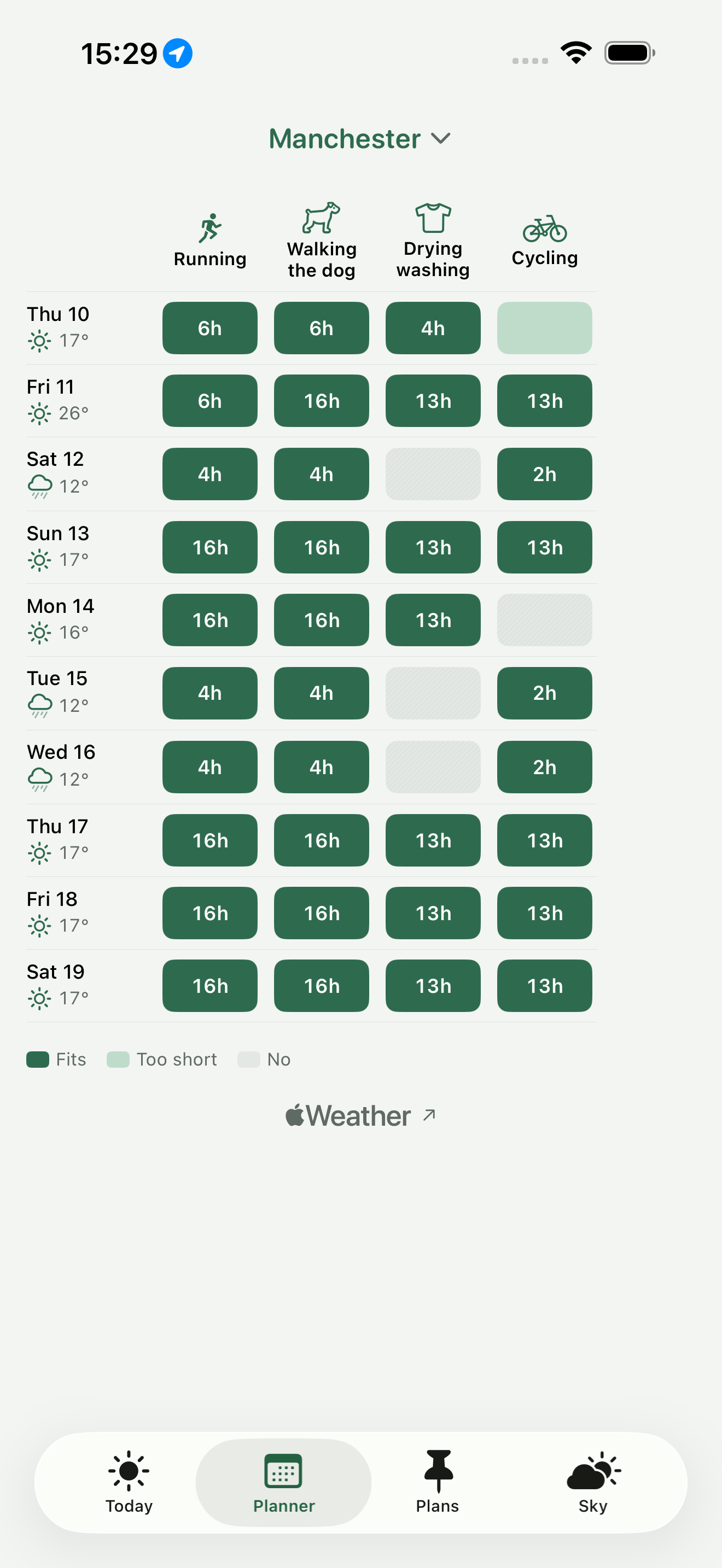
Ten days down, your activities across, the longest window in each cell. Answers which day suits which activity in one look.
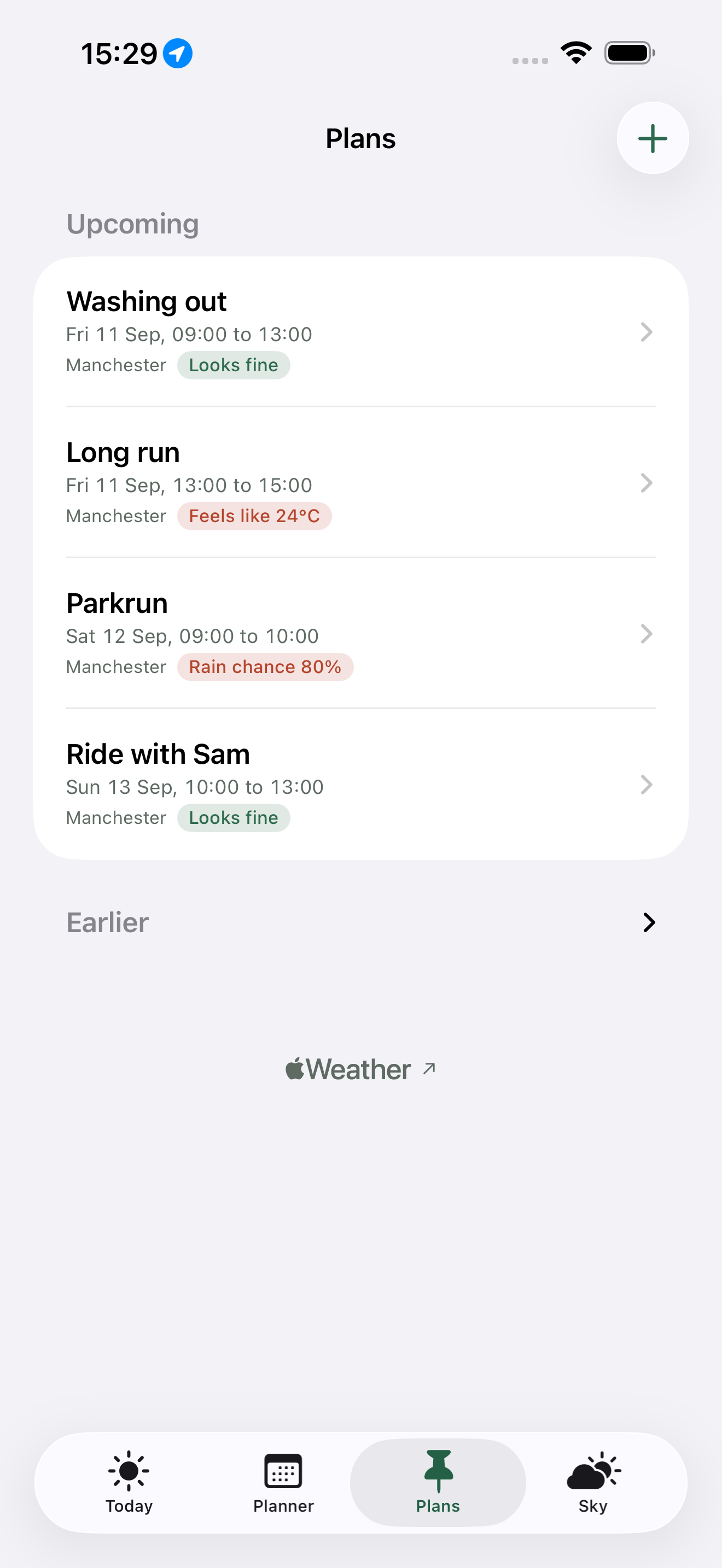
Pin a plan to a date, a time and a place and get a verdict against that activity’s rules. Once a day Clearing records what the forecast said, so you can see it settle or drift as the day approaches.
A notification when a window opens, when one is lost - with the reason it went - and when one starts. One daily briefing at a time you choose. Every alert is scheduled locally on your device.
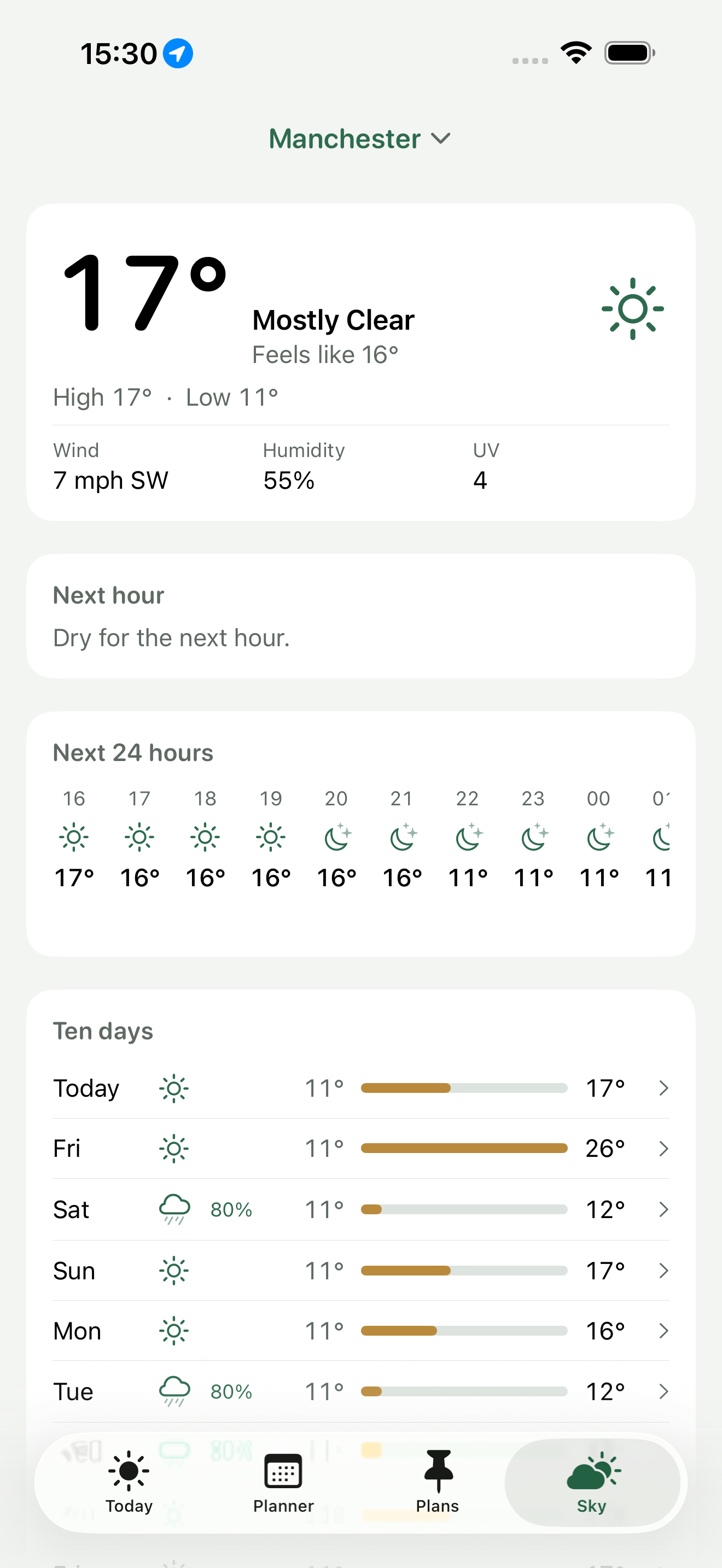
Current conditions, the next hour of rain, 24 hours and ten days. Hourly detail for any day, with sunrise and sunset, and severe weather alerts where they are issued.
Save the places you actually go and pin an activity to one of them. Times are always shown in that place’s time zone, never your phone’s.
Clearing asks for location accurate to a few kilometres and there is no way to give it more. A forecast is the same across a town. Deny it entirely and the app works against a place you search for.
Four activities against the same ten days.
Manchester, four activities with different rules, and the windows each one finds. Light and dark appearances; these are the light one.
Free for two activities and two days.
The free app is the whole engine, not a demo: every rule, every template, the hour-by-hour breakdown and the full Sky tab. What Clearing Pro adds is reach - more activities, the other eight days, and the places the app follows you to. It is £2.49 a month or £12.99 a year, and the yearly plan starts with 7 days free.
Two activities and the next 48 hours, with no time limit and nothing switched off after a trial.
- Two activities, with every rule and every template
- The next 48 hours of windows
- Why any hour failed, and by how much
- The planner, for those two days
- The full Sky tab: now, next hour, 24 hours, ten days
- Severe weather alerts
- Place search, in the place’s own time zone
- Works offline against the last forecast
The rest of the forecast, and the parts of the app that keep watching while you are not looking.
- Unlimited activities
- All ten days, everywhere in the app
- Plans, with the forecast drift record
- Alerts and the daily briefing
- Saved places, and activities pinned to them
- Home Screen and Lock Screen widgets
- The Apple Watch app and complications
- A Live Activity while a window is open
- iCloud sync, so everything comes back on a new iPhone
- Everything in the free app, unchanged
The honest answer, and what it does not buy.
Every forecast costs money. Clearing fetches weather for as long as you keep opening it, and that is a cost that continues. A one-off price cannot cover a continuing cost honestly, so there is no lifetime tier and no pretence that there could be.
The engine is free. The rules, the templates, the windows, the reason an hour failed and the whole Sky tab work without paying. The gate is on how many activities and how far ahead, not on whether the app does its job.
A lapse never deletes. If a subscription ends, every activity, place and plan stays exactly where it is. The extra ones simply stop being calculated until it resumes.
No account, no adverts, no tracking. Weather comes from Apple Weather and place search from Apple Maps; there is no other network use and nothing about you reaches me. Cancel any time in Settings, under your name, then Subscriptions.