A click that cannot drift.
Tock is a metronome built for practice, not for settings screens. Set a tempo by dragging the big number, tapping it out, or stepping a beat at a time. Press play. The click is generated one full bar at a time and looped by the audio hardware itself - however long you leave it running.
iOS 18 or later · iPhone and Apple Watch
Three screens, and the first one is the whole metronome.
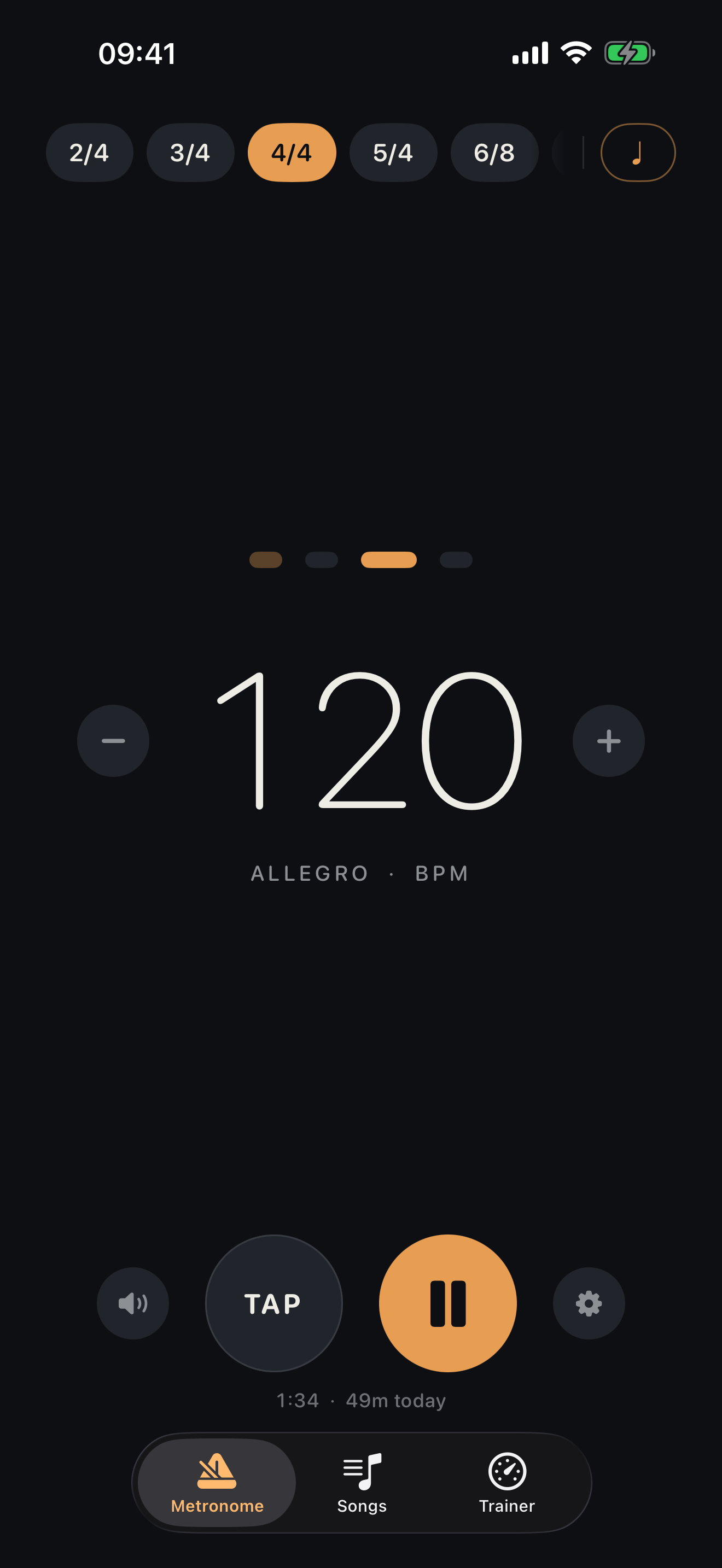
Metronome, Songs and Trainer. Everything you reach for while playing is on the first screen and takes one tap - the time signature, the subdivision, the accents, the transport. The options sheet exists for the things you set once.
The click is a single PCM buffer spanning one whole bar, handed to the audio hardware and looped there. There is no timer anywhere in the audio path, so nothing accumulates error - an hour in, the click is where it should be.
Drag vertically on the big number for a sweep, tap the tempo out and Tock averages your last few taps, or step a single BPM with ±. The tempo marking - Grave through Prestissimo - updates underneath as you go.
Tap any beat dot to cycle it accented, normal or muted. Patterns are remembered per time signature and travel with a saved song. 2/4 through 12/8 are there as presets, and Pro adds any bar length from 1 to 16 beats.
Quarters, eighths, triplets and sixteenths, cycled from one chip. The "and" of the beat sounds a step above the other subdivisions, so a bar of sixteenths has a shape rather than a rattle; triplets have no half-beat to land on and are left alone. Every tick is part of the same sample-accurate bar rather than a second click layered on top, so none of them can slip against it.
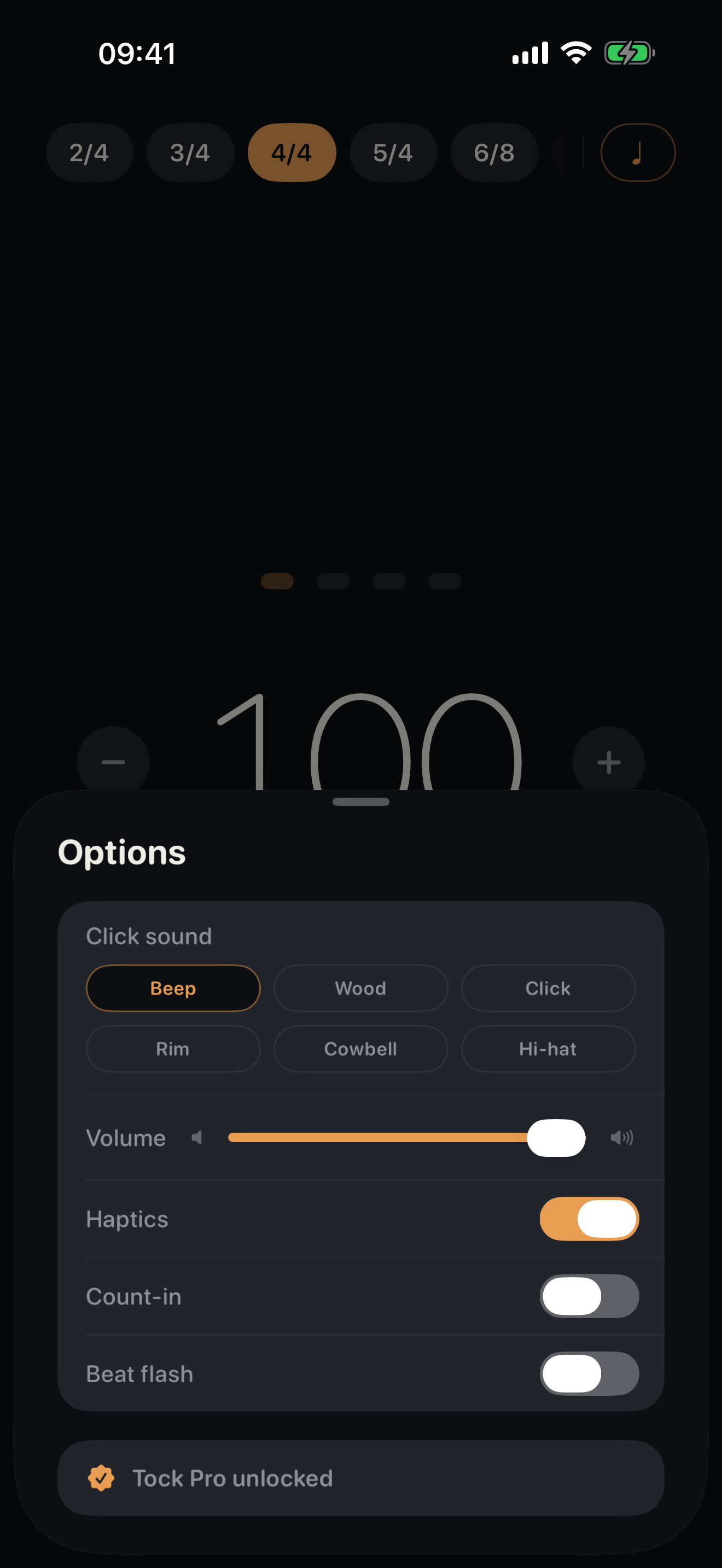
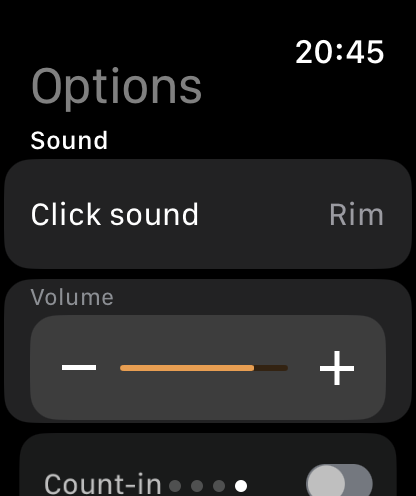
Beep, Wood, Click, Rim, Cowbell and Hi-hat, every one synthesised in code. There are no audio assets in the app, nothing to download, and nothing to load before the first beat. Three are free; Pro adds the rest.
A speaker toggle sits beside the transport: mute the click and keep the beat in your hand through haptics - rigid on the downbeat, light elsewhere. For loud rooms there is a full-screen flash on every beat, brighter on the accents.
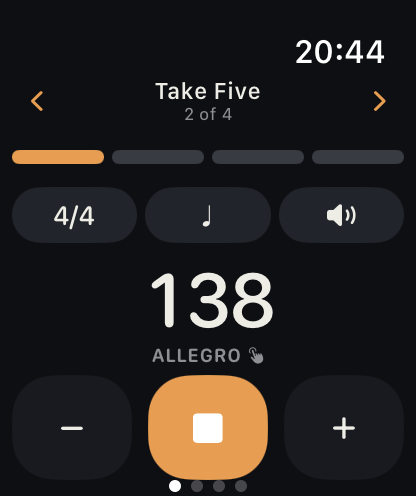
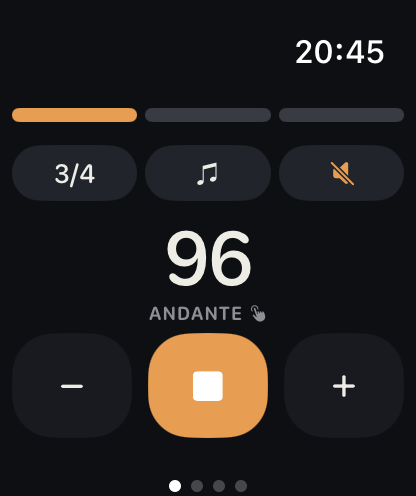
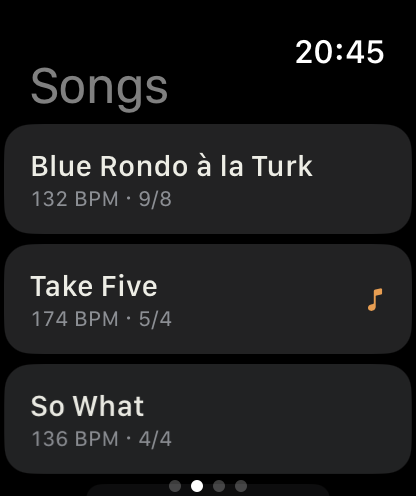
The Apple Watch app runs on its own with the iPhone left in the case. Set the tempo with the Digital Crown, tap the beat row to accent a beat, and change the time signature, subdivision and sound without leaving the screen. Your songs and sets arrive from the iPhone, both trainers are there, and the click keeps going when the screen goes dark.
watchOS has no haptic intensity to raise, so the whole choice is which of nine named taps stands for the downbeat and which for the other beats. Each one plays as you pick it, and a silent two-bar preview lets you feel a bar before deciding - a pair can feel distinct tapped one at a time and identical inside a bar. How much of a tap a wrist notices depends on the strap and the person, so it is a setting rather than a guess.
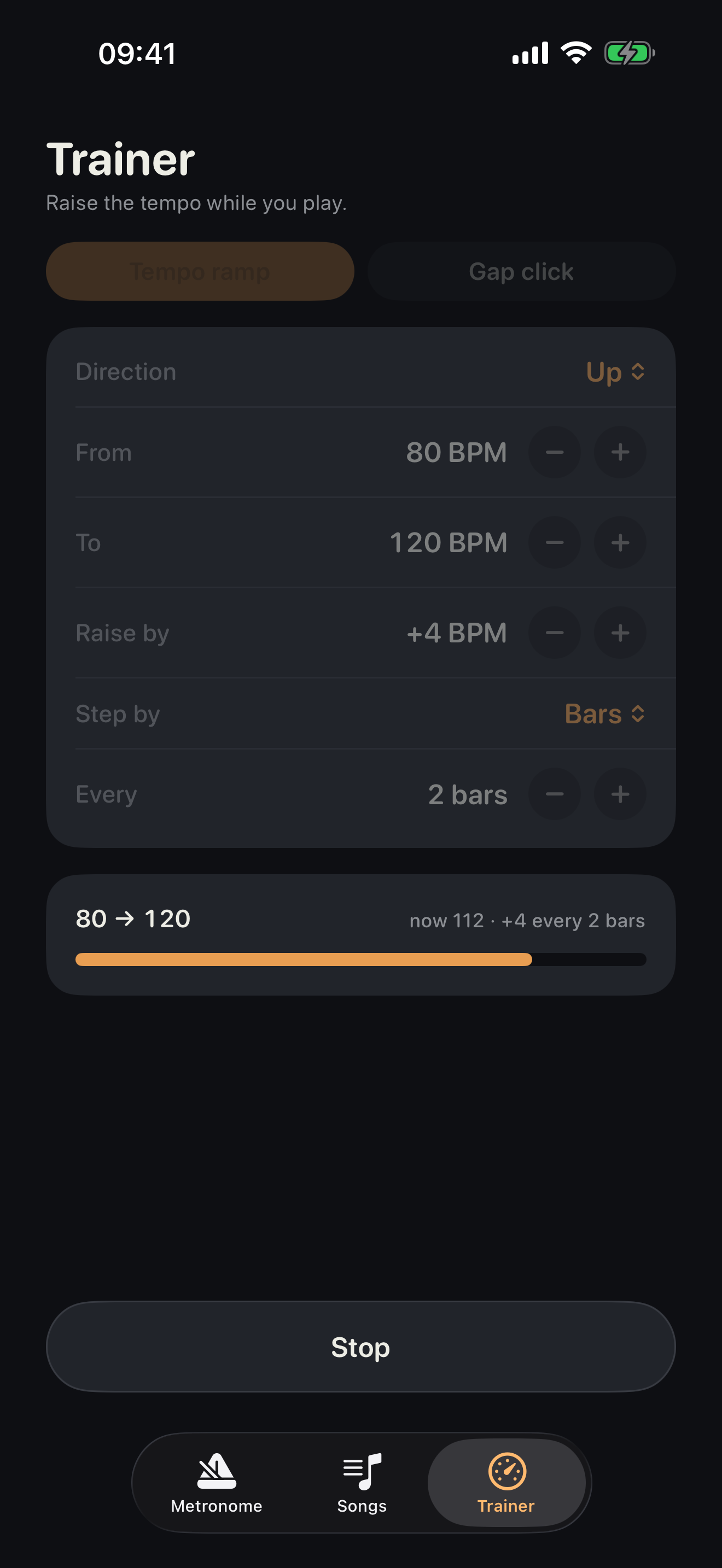
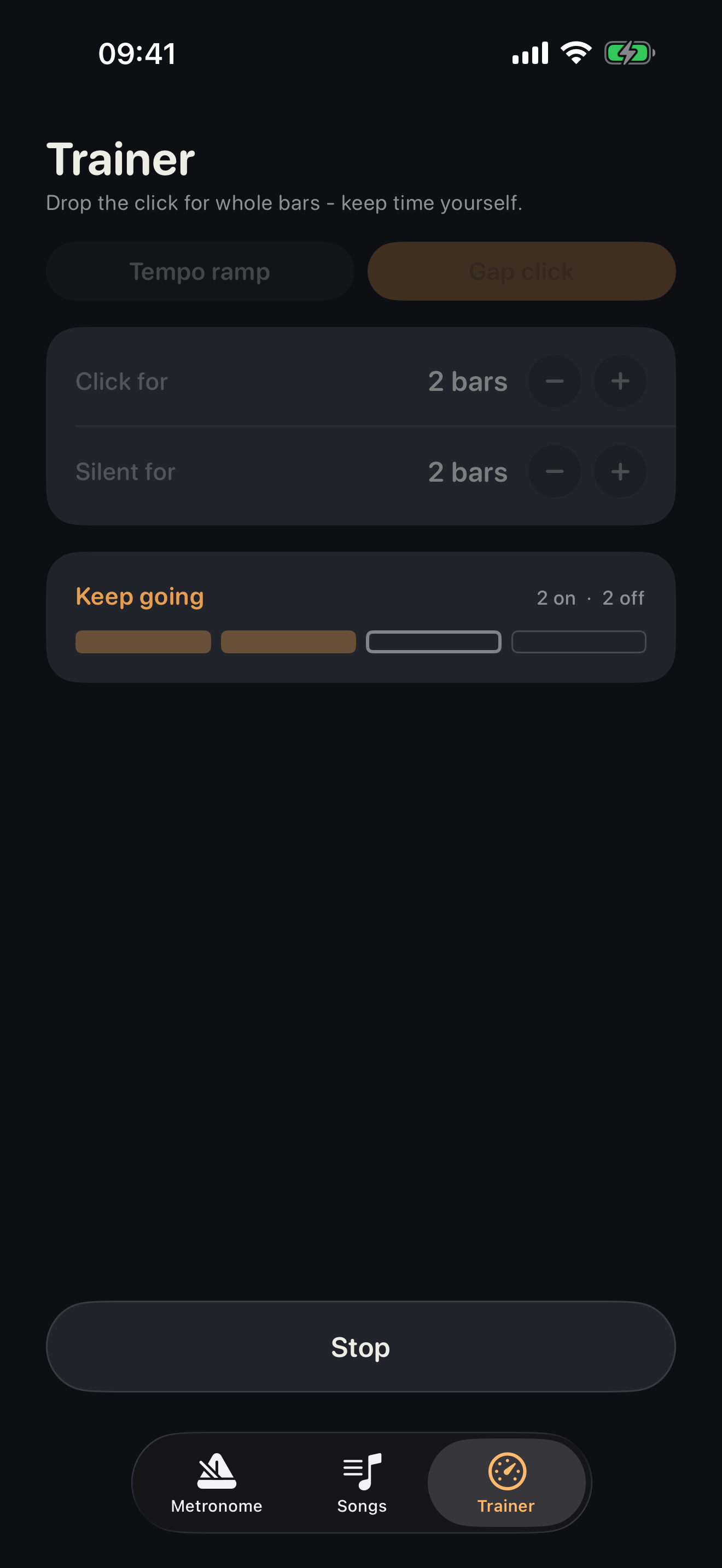
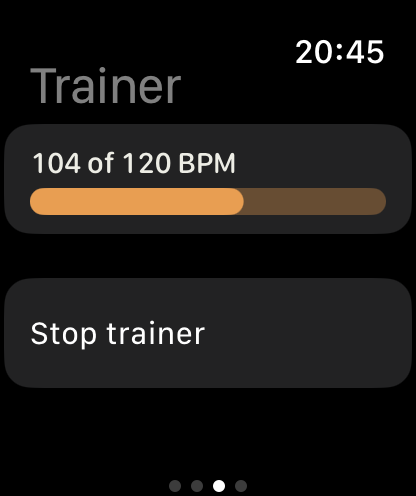
Tempo ramp walks the tempo between two marks while you play - up to push your limit, or down, because slower is harder. Gap click drops the click for whole bars so you carry the time yourself, then brings it back.
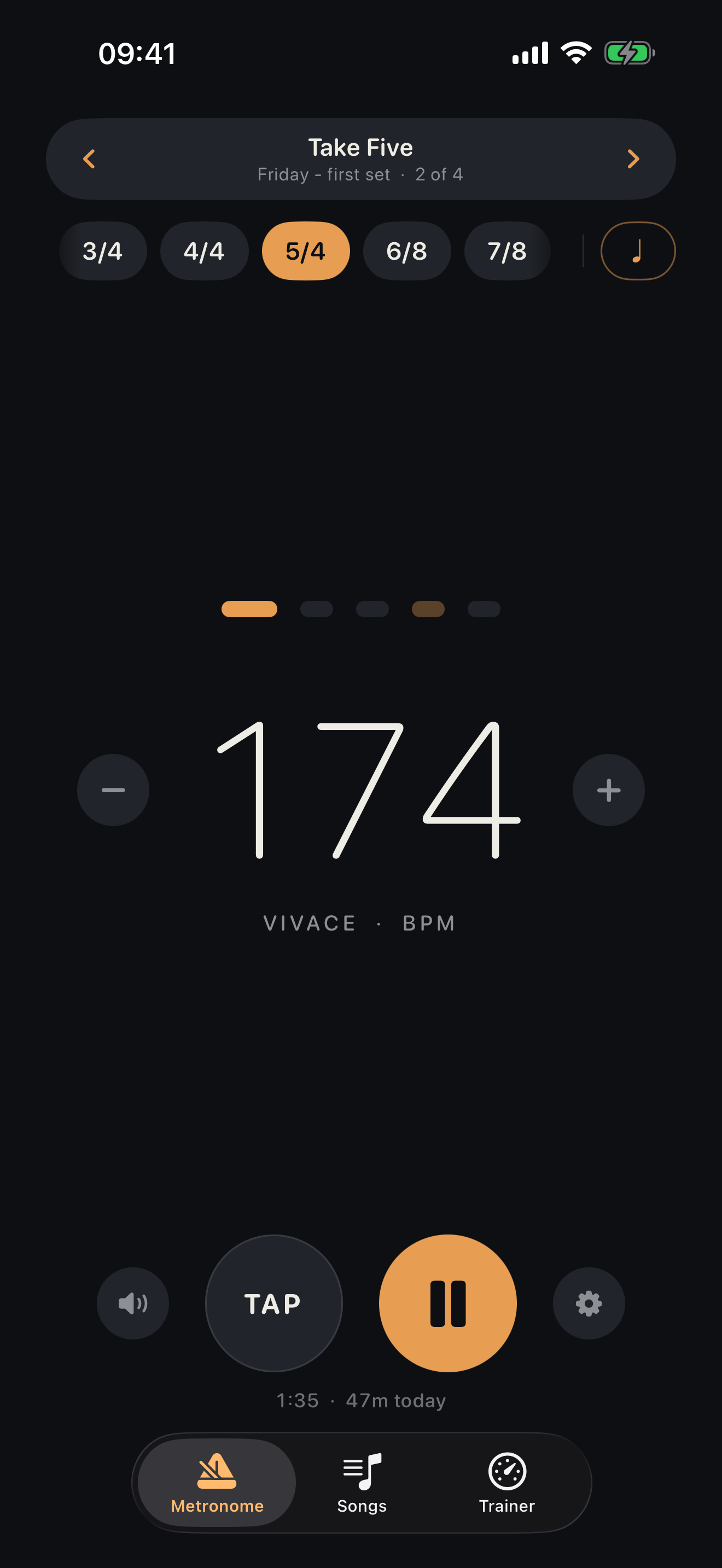
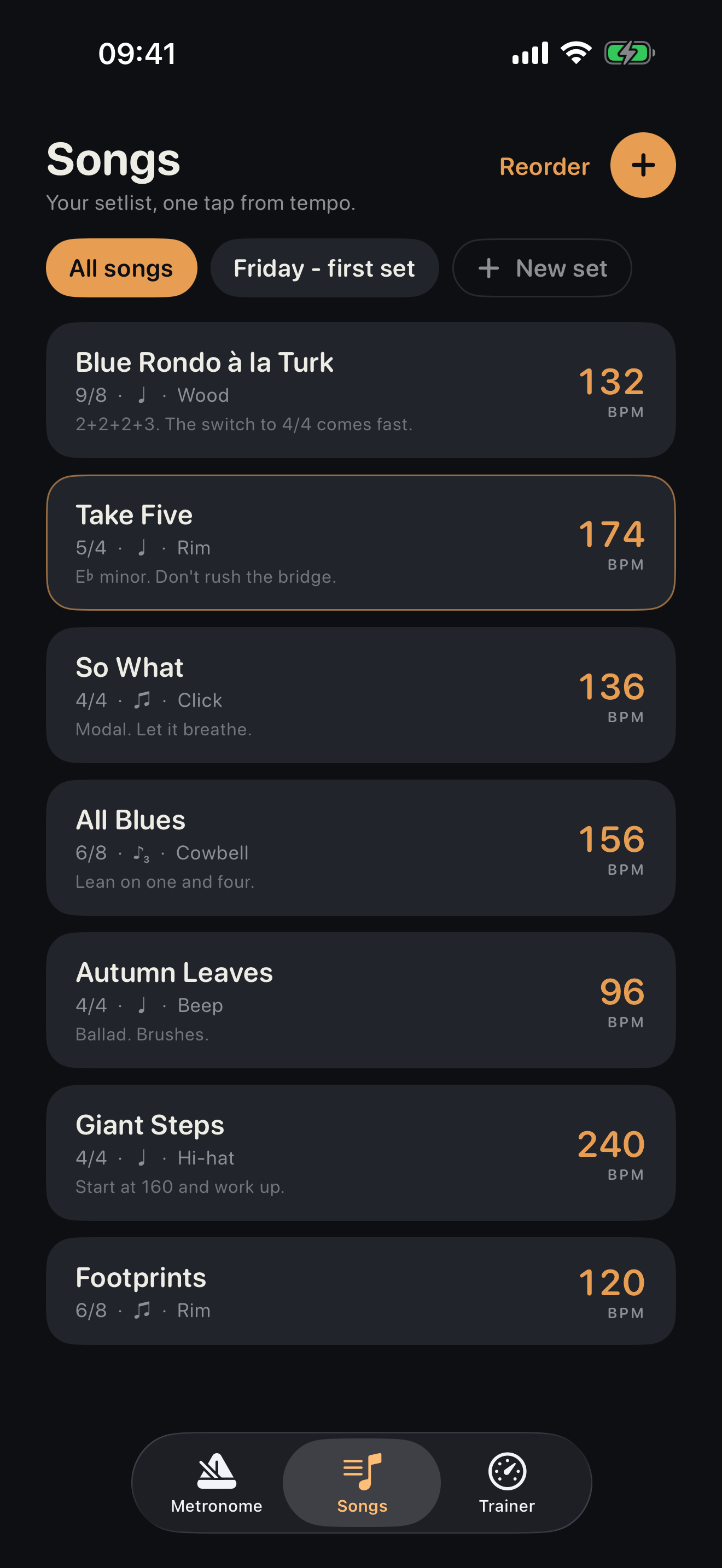
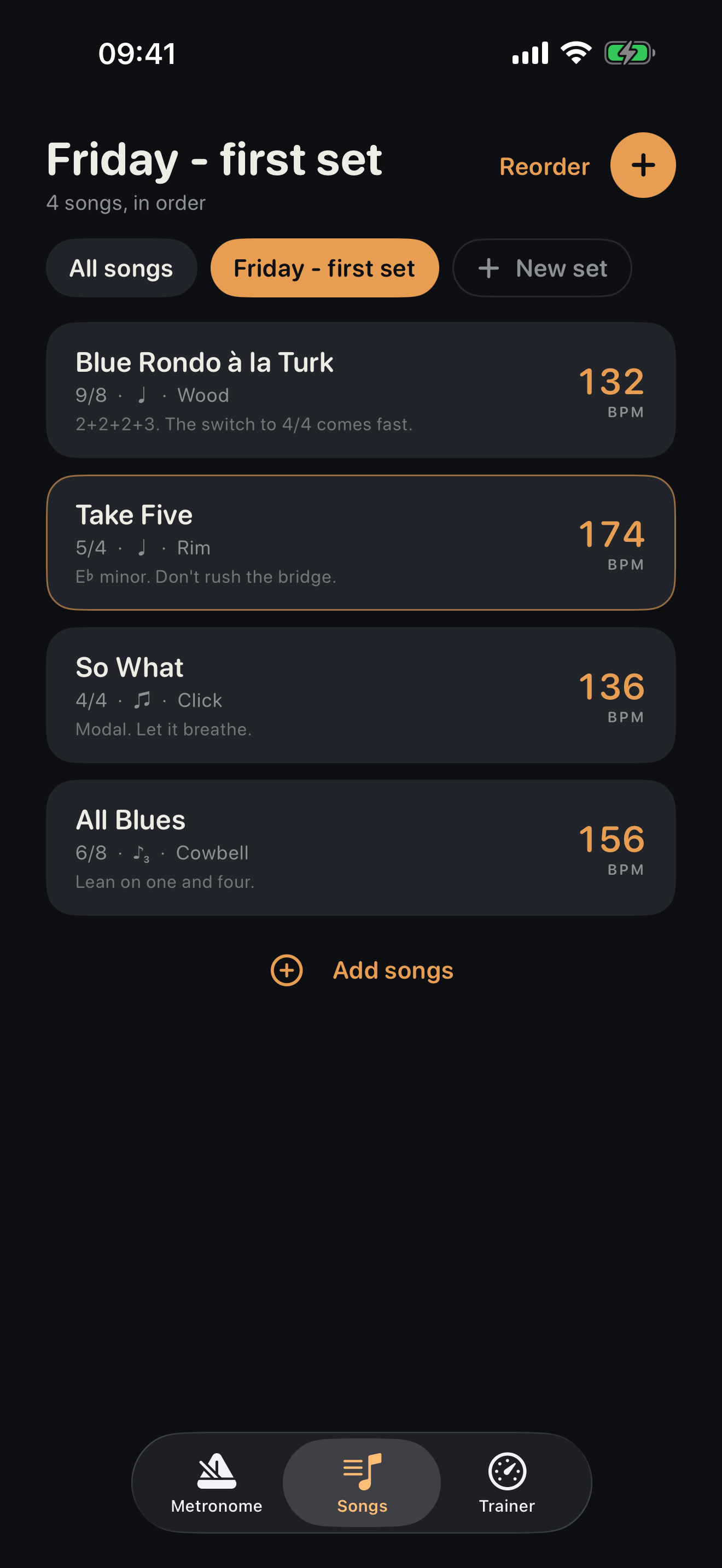
Save a tempo with its signature, accents, click and notes under the tune's name, then load it with one tap. Duplicate a song to make the slower version of it, and search the library by name or by what you wrote in the notes. Sets arrange songs into a running order for a gig or a lesson - next and previous appear on the metronome screen itself.
"Start Tock at 120." Start and stop the click, or play a saved song by name, from Siri, from Spotlight, or in the Shortcuts app. The trainer intent is Pro, and says so out loud rather than doing nothing.
A quiet readout under the transport: the running session while you play, today's total once you stop. Nothing is kept beyond today, so there is no streak to protect and nothing to feel guilty about. Touch and hold to reset it.
Two exercises, both of them uncomfortable on purpose.
A metronome tells you where the beat is. A trainer makes you find it. Both modes run on the same sample-accurate loop as the metronome, changing the bar at the bar line rather than mid-beat, so nothing lurches when the exercise moves.
Set a start, a finish and a step, and Tock walks the tempo between them while you play. Step every few bars or every few seconds, and run it downwards as well as up - playing something clean at half speed is the harder half of the exercise. A progress bar shows where you are and what is coming.
The click plays for a set number of bars, then vanishes for a set number while you keep going, and comes back exactly where it should have been - so you hear immediately whether you drifted. Anything from one to eight bars each way. The silent bars withhold the beat from every sense: no click, no haptic, no dots, no flash. Anything still pulsing would be handing you the answer.
The shipping app, on an iPhone and an Apple Watch.
Tock is dark-only and portrait-only. It is a thing you glance at from a music stand in a dim room, so there is one appearance, designed for that room, rather than two designed for neither.
Free to keep time. Pro for the practice workflow.
Tock is free to download, and the free app is a complete metronome rather than a demo. Tock Pro is a single payment - no subscription, no adverts, no second tier. The gates are on the practice workflow, never on keeping time.
Everything you need to put a click behind an instrument, with no time limit and nothing switched off after a trial.
- Tempo by drag, tap tempo and ±1 BPM steps
- All eight preset time signatures, 2/4 to 12/8
- Per-beat accents and mutes, saved per signature
- All four subdivisions
- Beep, Wood and Click voices
- Count-in, beat flash, haptics and click volume
- Background playback and silent practice
- Today's practice time
- Up to three saved songs
One payment, yours for good. It adds the Apple Watch app and the parts you use when you are practising deliberately or working from a set list.
- The Apple Watch app
- Tempo ramp and gap click
- Named sets, running order and play-through
- Unlimited saved songs
- Any bar length, 1 to 16 beats
- Rim, Cowbell and Hi-hat voices as well
- Everything in the free app, unchanged
Three things sit on the free side against the market's instinct, and each one was a decision rather than an oversight.
Background playback. A metronome that stops when you open your sheet music is broken, not limited. The click keeps going with the screen off or another app in front.
Per-beat accents and subdivisions. Both are cycle-in-place controls you touch constantly. A gate there interrupts the core loop rather than sitting beside it.
Today's practice time. It is the free app's reason to stay installed. Long-term practice history is the honest thing to charge for one day - today's number is not.
No account, no adverts, no tracking, and no network connection at all. Tock contains no networking code. Songs and sets reach the Apple Watch over the direct link between the two devices, so nothing you do in it leaves your iPhone and your watch.
A gate never takes away what you already have. The song cap blocks saving a fourth song; it never hides one you saved before.